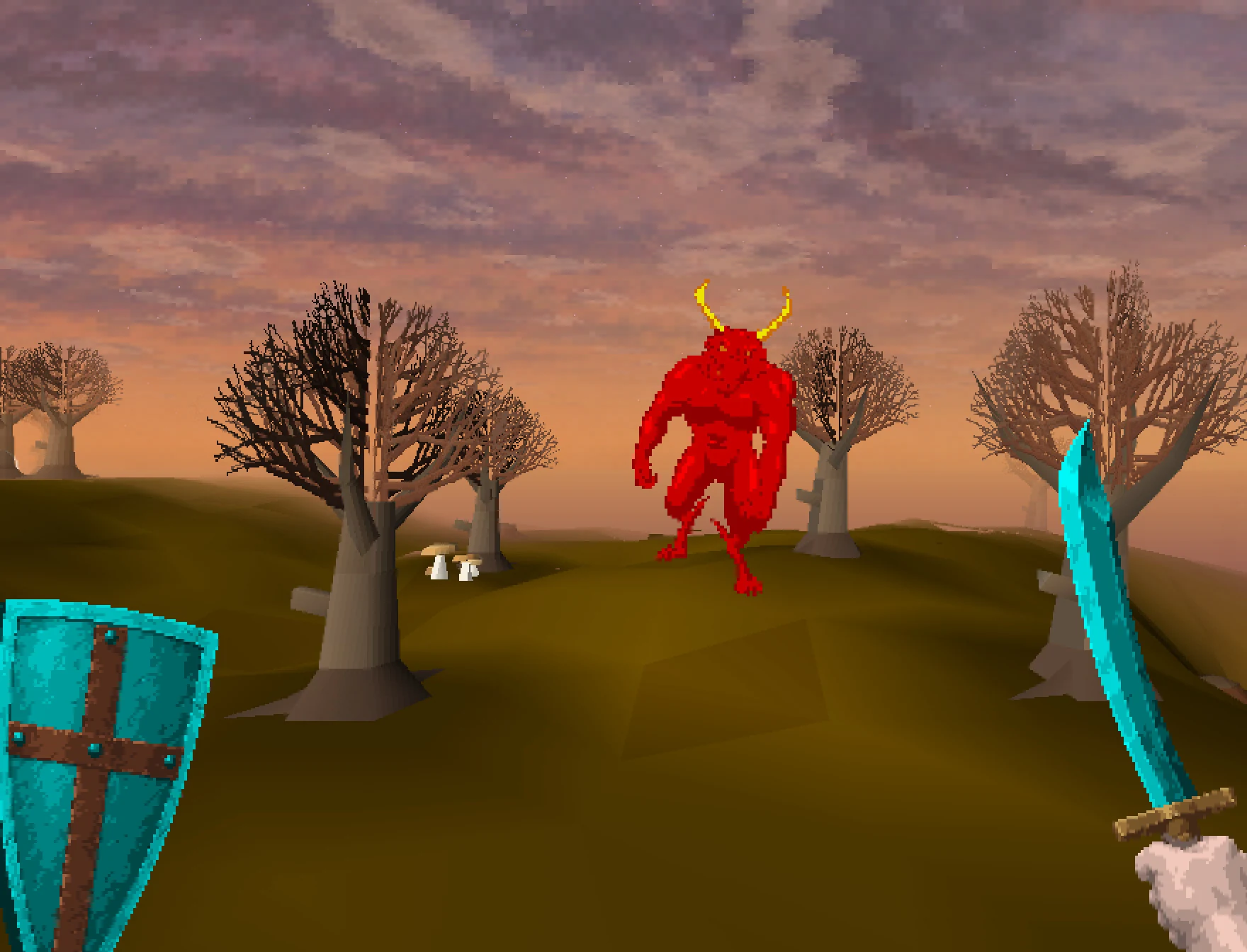
First and third person
Look out through your own eyes.
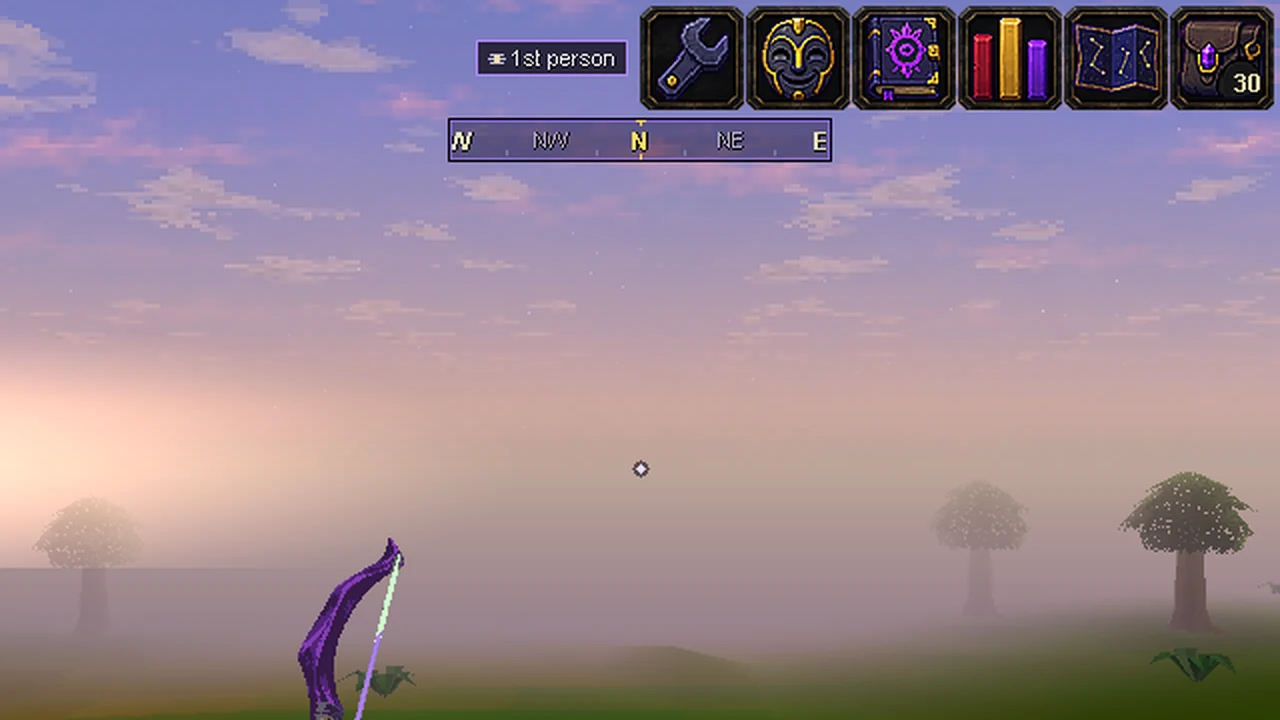
Press F4 and you're behind your character's eyes. Look around with the mouse, walk with WASD, and see your own weapon in your hand. On a Mac laptop, press fn+F4; on a phone, tap FP.
- Desktop client
- F4, Ctrl+C or the view button
- Desktop browser
- F4 or the view button
- Phones
- The FP button
- Anywhere
- ::fpv
F4 and the FP button switch between Classic and first person. C and the view button go round all three views: Classic, first person, third person, then Classic again.
- In first and third person, press plain C.
- In Classic on the desktop client, press Ctrl+C.
- In Classic in a browser, use F4 or the view button.
- On a Mac laptop, F4 is fn+F4.
You can also use Settings > Visuals > First person view. The first time you turn it on, a short card shows the controls and offers comfort options. Type ::fpvhelp to see it again. On the desktop client the card says to hold Ctrl with the letter keys in Classic; in a browser it says "In Classic use F4 or the view button."
F4 has changed on the desktop client. It used to step through all five camera views. Now it only switches between Classic and first person. The other views (Close, Low angle and Orbit) are under Settings > Visuals > Camera view.
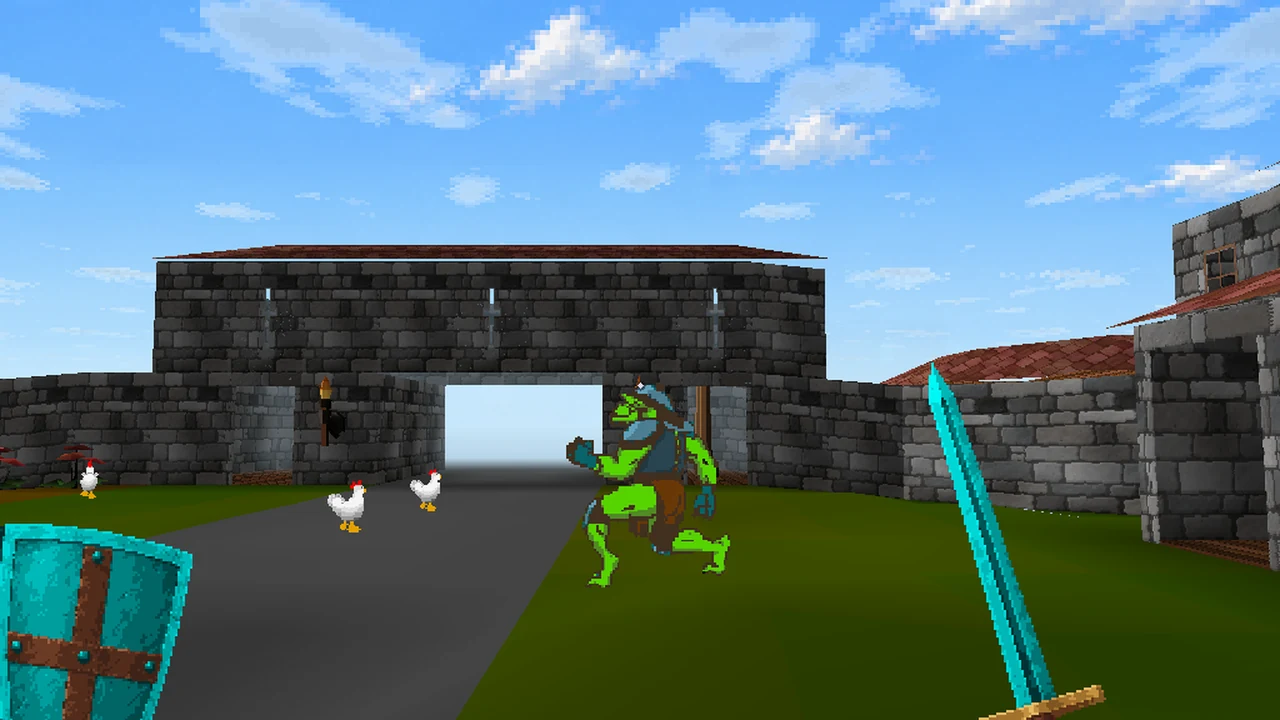
Painted skies, day and night.
The black sky is gone. Each kind of place has its own painted sky, and a full day lasts 60 minutes on a clock the whole server shares.
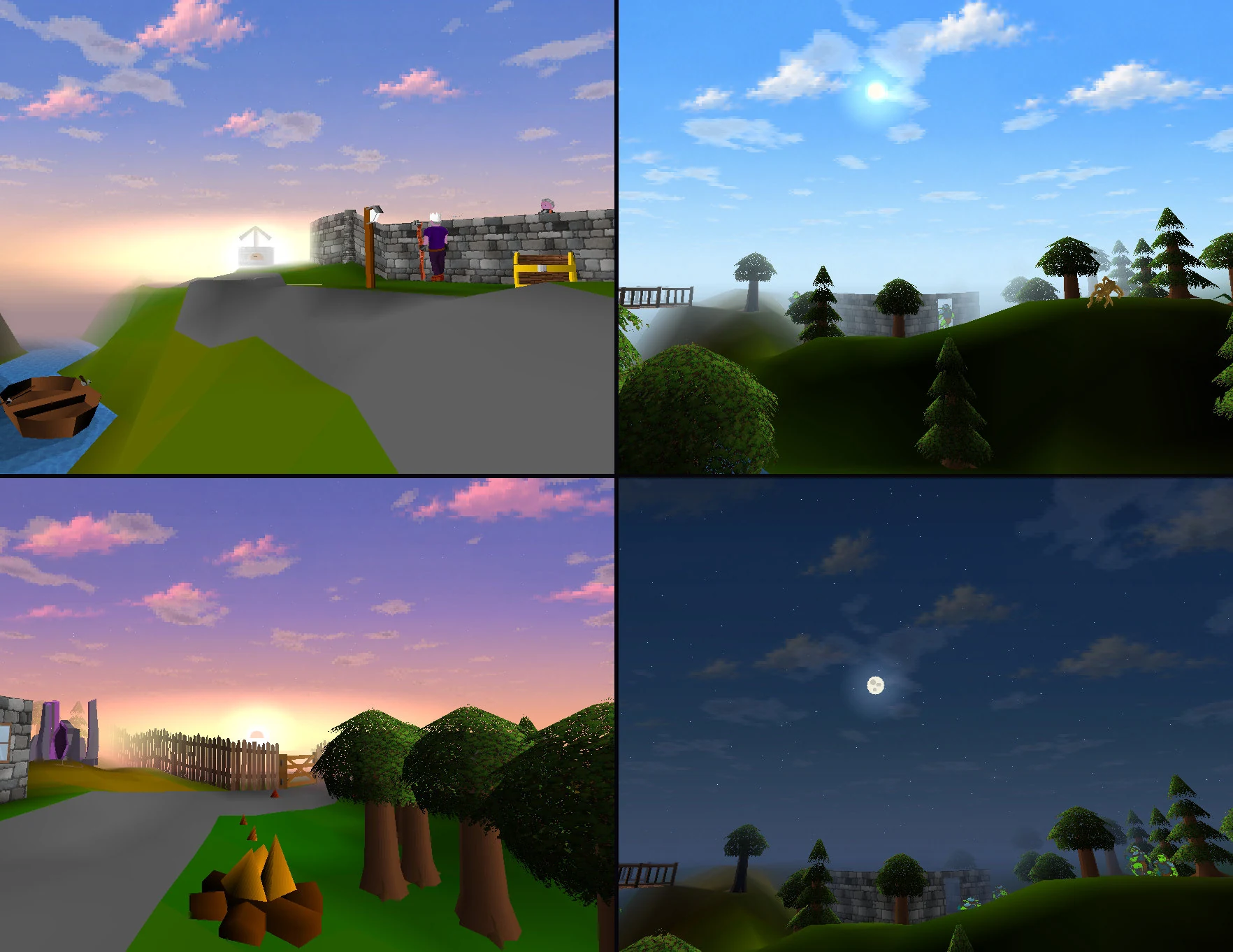
- A sky for every kind of place: villages, cities, docks, jungle, desert, snow and the Void. Ice Mountain gets snow and the Lumbridge swamp its own gloom. The Wilderness sky turns from smoky amber at level 1 to a blood-red ember by level 48.
- Day and night every hour, the same for everyone. Sunrise is at 2½ minutes past each hour (UTC), noon at 22½, sunset at 42½ and the darkest night at 52½. Day lasts 40 minutes and night 20.
- Clouds drift and stars come out, and the moon shows its real phase. Wisp's Garden keeps the same sky at every hour.
- Only the sky changes. Your Daylight or Dusk world look stays exactly as you set it. Underground there is no sky, as before.
Rooms feel like rooms
- Ceilings indoors. Only the room you're standing in loses its roof. Caves have rock overhead.
- See-through windows. Windows, arrow slits and stained glass are clear in first person. Stained glass keeps a hint of colour.
- No loading screen on ladders. Ladders and stairs glide you up or down one floor in about a third of a second. Teleports still cut straight to where you arrive.
- People fit the rooms. Characters are drawn at 85% so they stand under ceilings, and anyone who walks right up to you fades out.
- Names stay where they belong. Names, chat and health bars never show through walls. Your own health bar, hit splats, chat and overhead icons sit on a small status panel at the bottom centre.
Your weapon in your hand.
Your weapon sits in your right hand and your shield or bow in your left. 2-handed swords now take both hands. With nothing equipped, you'll see your fists.
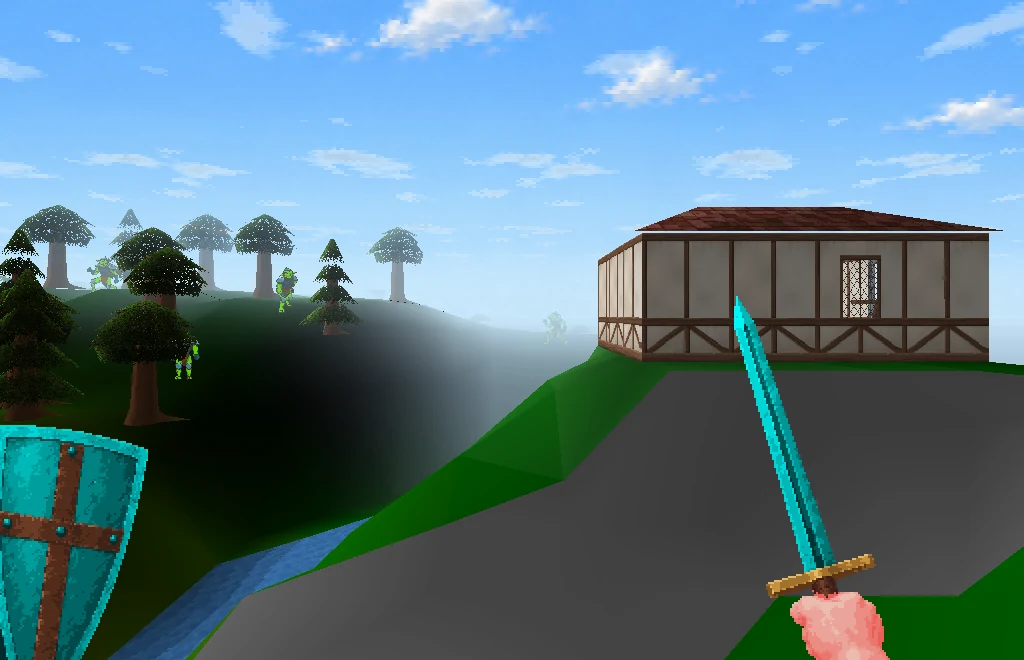
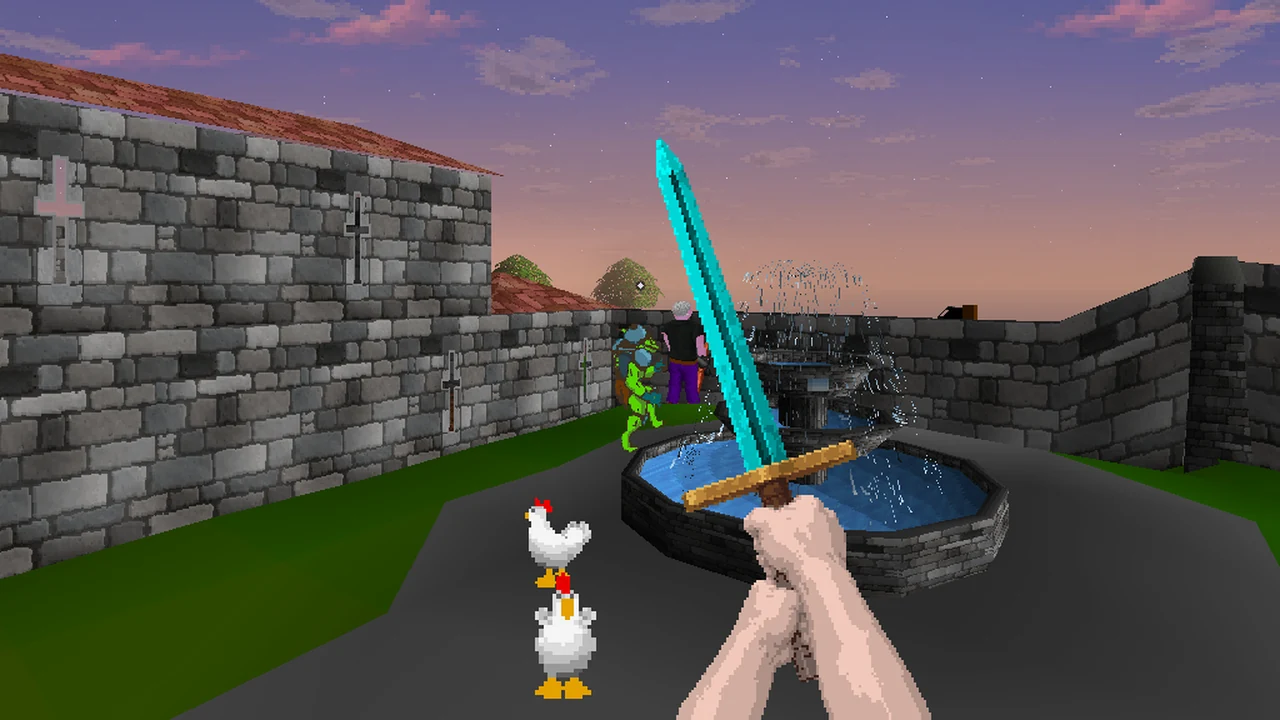
- Weapons move with you. They sway a little when you stand still and bob as you walk, and melee weapons swing with a trail.
- 2-handed swords take both hands. In first person they sit a little right of centre with both fists on the grip, even in the small client. In Classic and third person they keep their usual look.
- Staves glow, and the orb charges in your spell's colour.
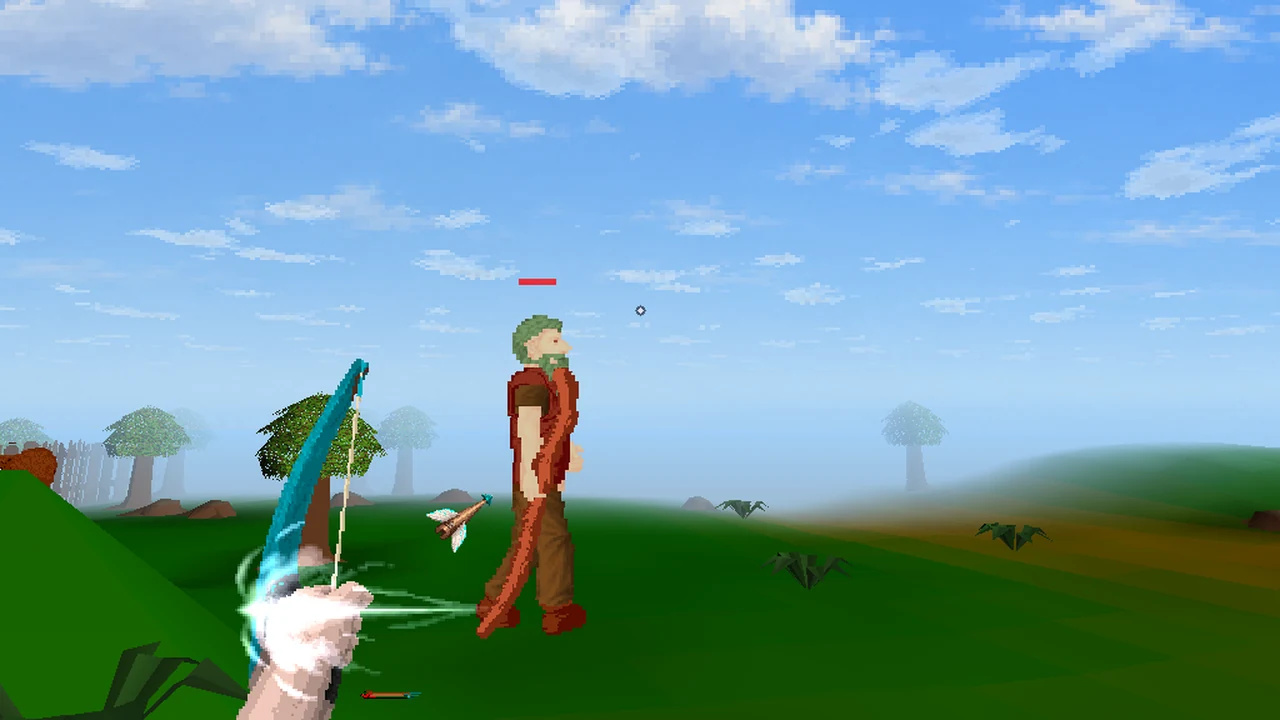
- Bows draw, release and recoil.
- Everything you can wield shows. Weapons without painted art use their inventory icon.
- Your hands are lit by the light where you stand, and darken at Dusk like the rest of the world.
Spells and arrows
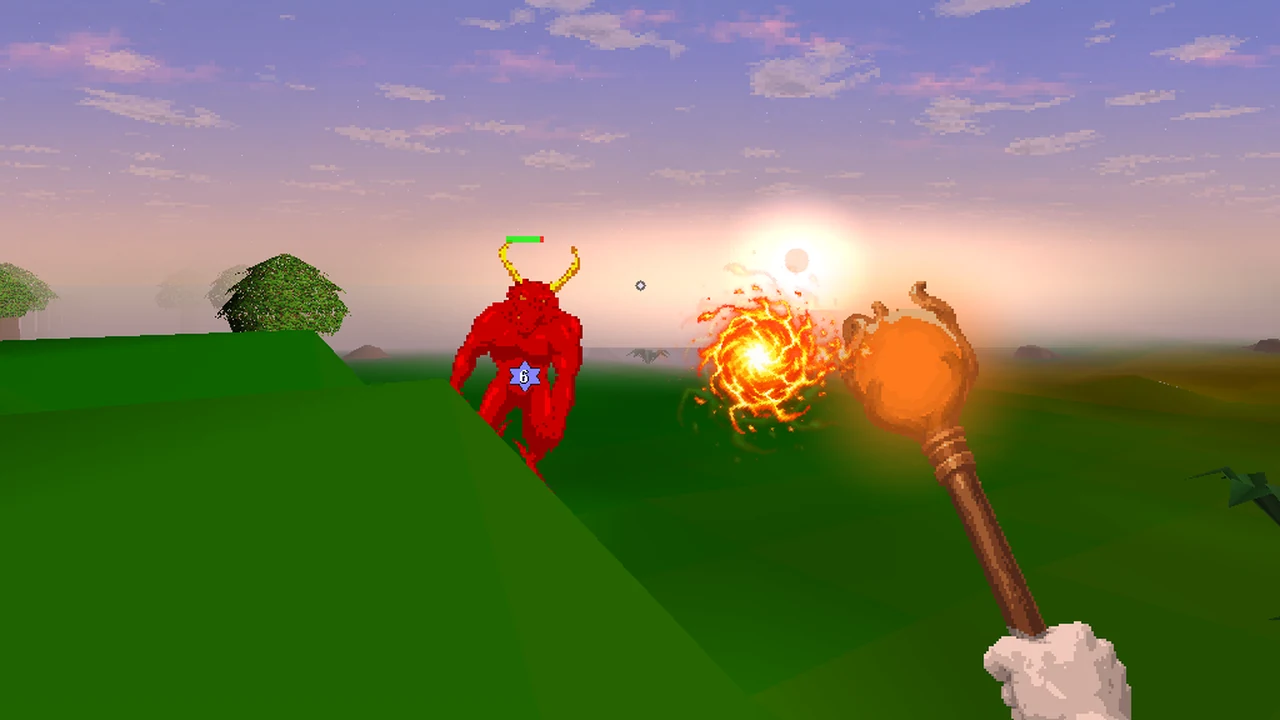
- Your spells are a ball of their own colours. A spell leaves your staff's orb at the orb's size, only gets smaller as it flies, and bursts at the target's chest. The burst is never bigger than the ball was at your staff, so a monster right beside you no longer disappears behind a fireball. Each step from Strike to Bolt, Blast and Wave makes a bigger ball.
- Your arrows point the way they fly. Arrows, bolts, knives, darts and spears fly along their real path. Your own are a short dart that leaves the bow, the crossbow or your hand pointing where it flies, never longer than an eighth of the screen's height. Inside two tiles they shrink to an end-on stub, so a target beside you or on a diagonal never gets an arrow flying sideways across your view.
- Shots at you come straight at you. A spell that hits you bursts on the screen (at most 30% of its height), with a brief glow at the edges.
- Other players' shots fly from the shooter's chest to the target's.
- Items on the ground lie flat at half size in first person. The arrows your shot leaves under the target appear when the arrow lands, not the moment you fire. Classic is unchanged.
The melee camera
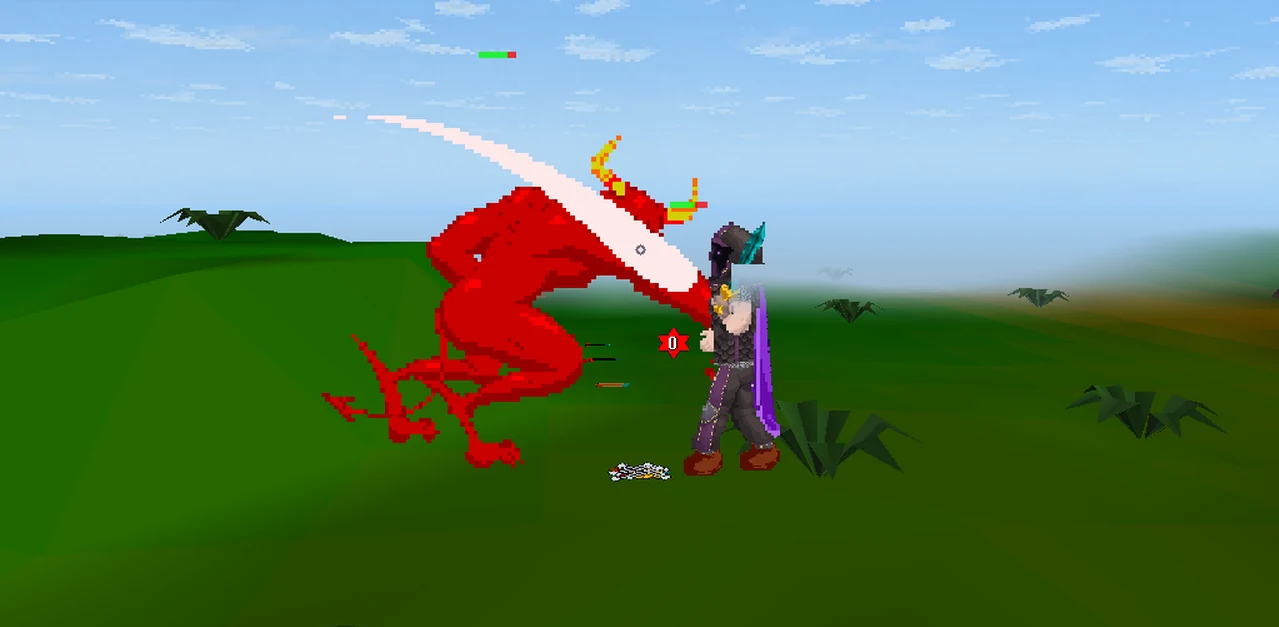
When you fight in melee, the camera glides back over your shoulder so you see both fighters side by side. It glides back into your eyes about 0.7 seconds after the fight. Ranged and Magic fights always stay in your eyes, and third person doesn't use it.
Turn it off with Settings > Visuals > Melee camera or ::fpv duelcam. With it off, a second row above your status panel shows your opponent's name, Hits and hit splats. Reduce motion makes it cut instead of glide.
Screen effects, the compass and footsteps
- Damage arc. An arc at the edge of the screen points to whoever hit you, and follows them as you turn.
- Prayer rim. A coloured rim while a prayer is on: blue for protection, gold for combat boosts, green for restore and teal for Eagle Eye.
- Teleport flash when you arrive, and a heartbeat when your Hits drop below about 20%. Reduce flashes softens every effect; Reduce motion stops the pulsing.
- Compass. A strip at the top centre shows 90 degrees either side of where you're looking, with markers for your Quest Helper target, your guided objective and online friends nearby.
- Footsteps that change with the ground: grass, dirt and roads, stone, wooden floors, sand, snow, shallow water and mud, and cave rock. While you ride, hoofbeats take their place. They play when Sound effects is set to All sounds; ::fpv steps turns them off or on.
Your attack-range outline is hidden in first person.
Look with the mouse.
Two rounds of play testing reshaped the controls. On the desktop client and in desktop browsers, the mouse now does the looking and the keyboard the walking. Changing view and opening panels each have a letter key, for small keyboards.
Mouse look is on by default in first and third person. Going into first person locks the mouse to the game: move it to look, and a small crosshair dot marks the centre of the view.
| Do this | To |
|---|---|
| Move the mouse | Look around |
| W A S D | Walk where you're looking |
| Q E, or the arrow keys | Turn. The up and down arrows also look up and down |
| Left click | Do the first option on whatever is under the crosshair: attack, talk, take or walk here |
| Right click | Open that target's menu at the crosshair, and pick an option with the sword cursor |
| Esc | Free the mouse. Click the game to look again |
| Hold Alt (Option on a Mac) | Free the mouse while you hold it, to click buttons and panels |
| Enter | Open the chat line. Enter sends; Esc closes it |
| Walk into a door, gate, ladder, staircase, portal or agility obstacle | Use it |
| C | Next view: first person, then third person, then Classic |
| V | Swap between first and third person |
| F4 | Back to Classic (Mac laptop: fn+F4) |
| Mouse wheel, in third person | Move the camera 2 to 5 tiles back |
| F5 | Hide the whole HUD; press it again to bring it back (Mac laptop: fn+F5) |
Letters never type into chat while the chat line is closed. "Press Enter to chat" shows where you'd type.
In a browser, F5 hides the HUD instead of reloading the page while you're in the game. Ctrl+F5 still reloads it.
Freeing the mouse
- Esc frees the mouse completely, so it can leave the window. Only a click on the game (or a quick middle click) locks it again, and that click doesn't walk or act. Clicks on the HUD, panels and chat work as normal.
- Holding Alt (Option on a Mac) frees it while you hold it. Let go and you're looking again, with no jump in the view.
- Windows free it by themselves: banks, shops, trade and duel screens, dialogs, Settings, the map, number inputs, the chat line, the character design screen, the controls card and any panel you open with a letter key. Each locks the mouse again a moment after it closes.
- After you pick a dialog option, the mouse stays free until the reply, the bank or the shop opens (up to 6 seconds), so it isn't grabbed in between.
- Switching apps frees it too: Cmd+Tab or Alt+Tab, minimising or closing the window.
- On-screen hints. "Esc frees the mouse" shows under the crosshair for a few seconds when you start looking. "Click the game to look around" shows while the mouse is free.
In a browser, Esc also ends the browser's own mouse lock. Chrome can take about a second before it lets the game lock the mouse again; the game retries by itself. If your computer won't let the game hold the mouse, it lets go and says so in chat: "Mouse look could not hold the pointer here, so it let go. Click the game to retry."
The view button and the sword cursor
A small button with an eye icon sits left of the HUD buttons at the top right, on the desktop client and in desktop browsers. It reads Classic, First person or Third person (1st person and 3rd person in a small window). Click it to go to the next view. In first person, free the mouse first. It hides when you hide the HUD (F5), in photo mode, and while Settings, the bank, the world map or a full-screen window is open.
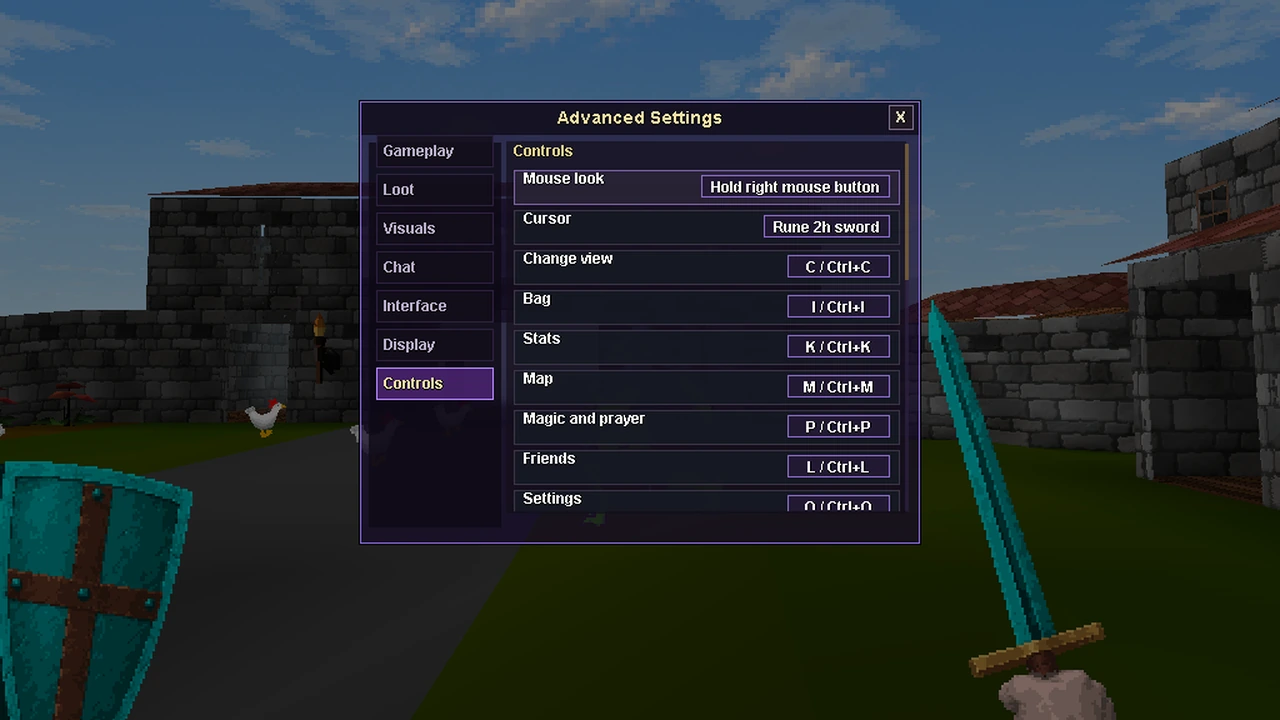
Your mouse pointer stays the usual system arrow. For a rune 2h sword instead, made from the game's own 2h sword icon with the tip of the blade as the point, set Settings > Controls > Cursor to Rune 2h sword. It then shows wherever the mouse is free, Classic included. On Linux (X11) the sword is drawn in two tones.
Letter keys for 60% keyboards
Changing view and opening panels never needs an F-key or an arrow key, which most 60% keyboards put on a second layer.
| Key | Does |
|---|---|
| C | Change view: Classic, first person, third person. Use it instead of F4 |
| I | Open or close your bag |
| K | Skills and quests |
| M | Map: the minimap and compass, with the World Map button under it |
| P | Spellbook and prayers |
| L | Friends and ignore list |
| O | Settings |
| B | Show or hide the sidebar (desktop client). Use it instead of Ctrl+F11 |
| T | Show or hide the character bar (desktop client). Use it instead of Ctrl+F10 |
- In first and third person, press the plain letter.
- In Classic on the desktop client, hold Ctrl (control on a Mac) with the letter, because plain letters type into chat.
- In Classic in a browser, there are no letter keys, because browsers keep Ctrl+T and the like for themselves. Use F4, the view button or the HUD.
- A panel you open with a key stays open and frees the mouse. Press the key again, press Esc or click outside it, and you're looking again.
- Change any key in Settings > Controls: click its row, then press a letter (Esc cancels). Picking a letter another action uses swaps the two. W, A, S, D, Q, E, Z, V, F and R can't be used. Reset keys puts the defaults back. Your keys are saved on this device.
Two keys have no letter: hiding the HUD (F5) and, on the desktop client, scaling (F10 to F12). On a 60% keyboard, use its F-key layer.
On a Mac
- F-keys on a Mac laptop need fn: fn+F4 for first person, fn+F5 to hide the HUD, control+fn+F10 for the character bar and control+fn+F11 for the sidebar. That's unless your Mac is set to use F1, F2 and so on as standard function keys. The letter keys work without fn.
- F11 may show your desktop instead. On many Macs, F11 is the system's Show Desktop shortcut, so the desktop client's F11 (scale down) may never reach the game. Change the size in Settings > Display instead, or turn that shortcut off in System Settings > Keyboard > Keyboard Shortcuts > Mission Control.
- Alt is Option. Hold it to click buttons while you look.
- On a trackpad, a right click is your secondary click (usually a two-finger click), and the mouse wheel is a two-finger scroll. The Hold right mouse button setting (below) is easiest with a mouse; on a trackpad, Always on needs no button held.
- The pointer stays put while you look. Mouse look holds it still, so fast flicks can't carry it out of the window. It needs no Accessibility permission, and every way of freeing the mouse lets the pointer go again.
Mouse look settings
Click the Mouse look row in Settings > Controls (it's also in Settings > Visuals) to step through three choices:
Always on Default
The mouse looks, with a crosshair, as described above.
Hold right mouse button
The pointer stays free, and the view turns only while you hold the right mouse button and move. There's no crosshair: left click acts on whatever is under the pointer. A quick right click, without moving, opens the menu as usual.
Off
Mouse look never locks the mouse by itself. The pointer stays free, and clicks act on whatever is under it.
The older way still works in every mode: hold the middle mouse button (or Shift + left button while the pointer is free) and move to look. A quick middle click locks the mouse for looking, and another frees it.
You can also type ::fpv mouselook on or ::fpv mouselook off.
Settings > Controls
A new category on the desktop client and in desktop browsers, with:
- Mouse look and Cursor.
- A row for every letter key, and Reset keys. The sidebar and character bar keys are desktop client only.
- A list of the fixed keys: WASD and Q E, Esc, Alt/Option, V, F4, Enter and F5 to hide the HUD. On the desktop client it also lists Ctrl+F11, Ctrl+F10, F10 to F12 for scaling, and the backtick key for screenshots.
On phones
- The FP button at the top centre switches between Classic and first person.
- Moving and looking. Drag the left half of the screen to walk and the right half to look. Tap to act, and hold on the look side for a menu; this uses your long-press setting.
- Left-handed controls swaps the two sides.
- Gyro aim lets you tilt your phone to look. It's off until you turn it on in Settings > Visuals. On an iPhone, the browser asks for motion permission the first time.
- Third person has no button on phones yet. In first person, open chat as usual and type ::fpv third.
Mouse look, the letter keys, the view button and the sword cursor are for desktop only.
Third person.
In first person, press V (or C, or the view button) and the camera moves behind and a little above you. Press V again to go back to your eyes.
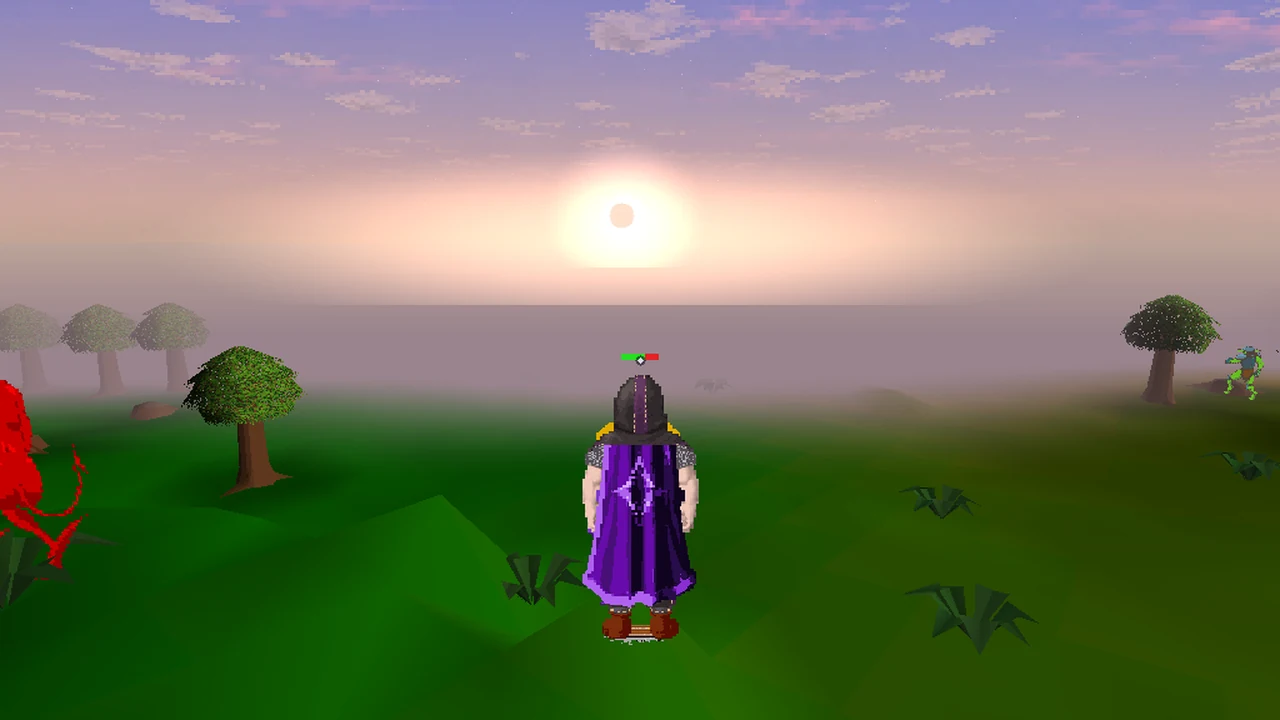
- Distance. The camera starts 3 tiles back. The mouse wheel moves it from 2 to 5 tiles.
- Walking and looking. WASD walks where the camera looks, and mouse look works the same as in first person.
- You see yourself. Your own body and its overheads show instead of the held weapon. Your spells and arrows start from your body.
- Facing. Standing still, your character faces the way the camera faces, so you see your back after you turn. Walking and fighting keep your real facing. This only changes what you see.
- No clipping. The camera never goes through walls. It pulls in for walls, doors, gates, trees, rocks and rising ground. Indoors it stays inside, below the floor above; outdoors it never rises over a roof. Pulled right up close, your body fades.
- This session only. Each time you go into first person you start in your eyes. On phones, type ::fpv third in chat. From Classic, ::fpv third says "Third person works from first person (F4)."
Ride in first person.
Your mount now comes with you into first and third person. In first person you see its head and neck at the bottom of the screen, under your weapon and shield.
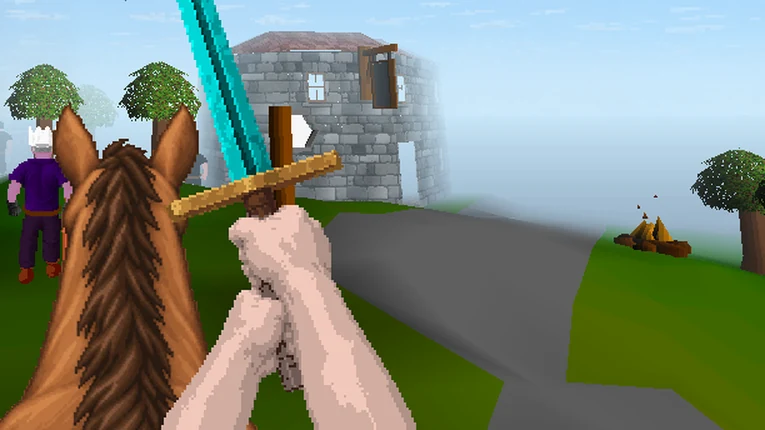
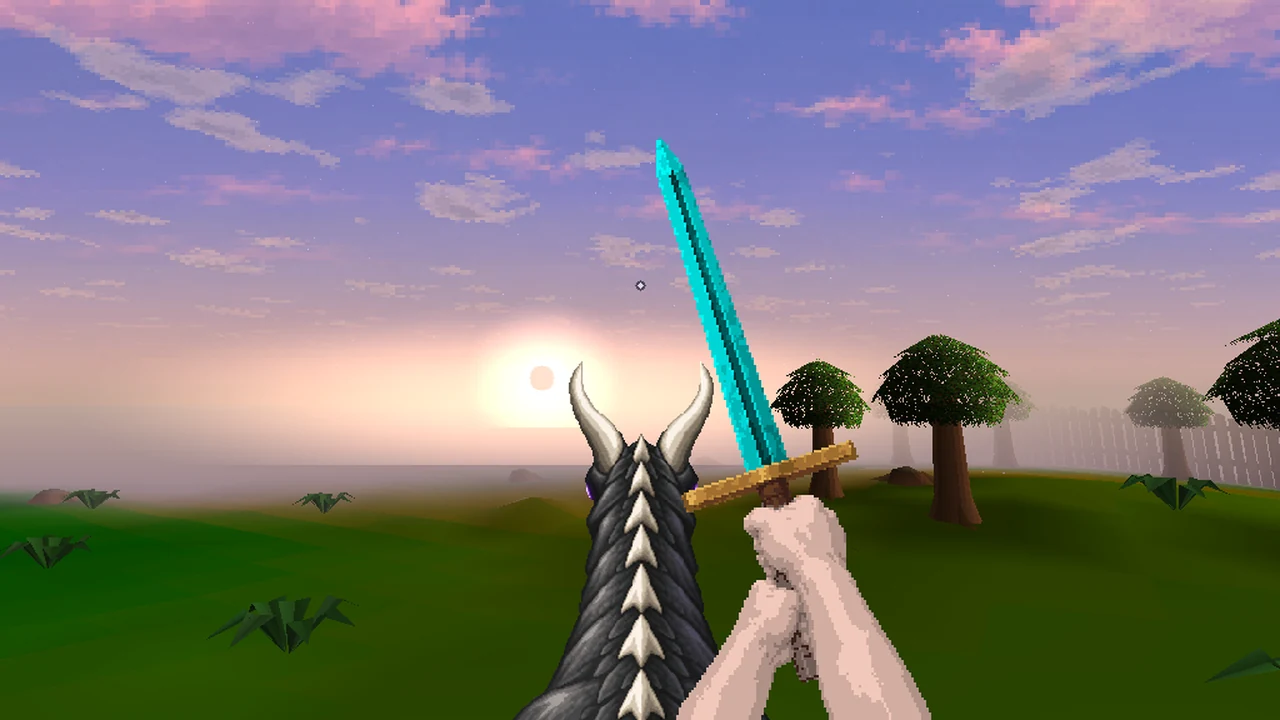
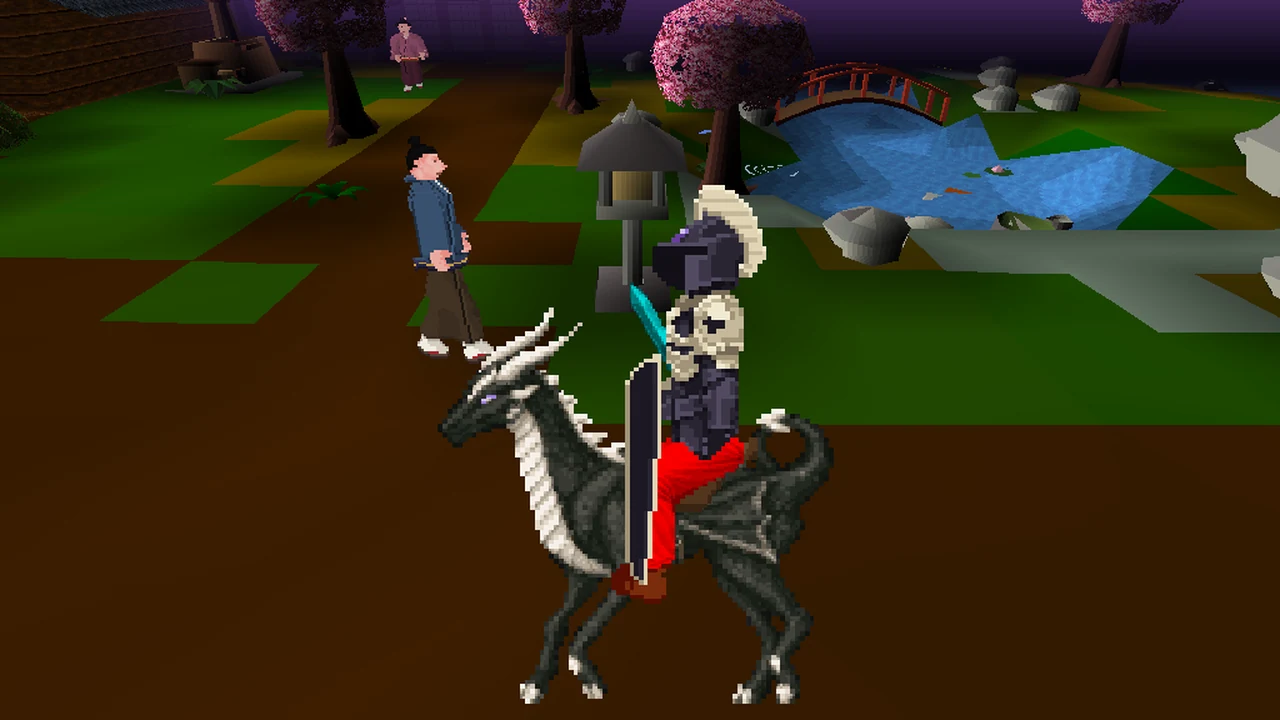
- All five mounts: the Horse, the Unicorn, the Void steed (violet coat), the Black unicorn (dark coat) and the Eclipse Drake, with art of its own and violet eye glints.
- You sit higher in the saddle. Doorways and rooms still draw correctly.
- It moves like a ride. Instead of the walking bob, the view dips once per stride (every two tiles). Your mount's head nods and sways as it moves and breathes slowly when you stop. Reduce motion holds it still.
- Hoofbeats replace footsteps on four grounds (soft, hard, wood and wet), with four takes each. They follow your Sound effects setting and ::fpv steps.
- In third person the camera stands further back and higher, so horse and rider fit. Near a wall or on a slope it tilts down to keep your mount's legs in view.
- When the head hides: while the melee camera has glided out, and in third person, where you see the whole mount. Gem bridles show the plain horse head in first person; their colour shows in third person.
The Eclipse Drake also goes much further on a bar of energy now: see the Eclipse Drake.
Photo mode.
Type ::photo, or choose Settings > Visuals > Photo mode. On phones, hold the FP button for half a second. Photo mode opens from first person.
- The HUD disappears. A free camera moves up to 4 tiles from your character, who stays put. Use WASD to move it, the mouse to look, Q and E to orbit, and U and J to rise and lower.
- Landscape or portrait. R switches 16:9 and 9:16, G shows the framing guide and H your held weapon.
- Save a clean picture with P (or backtick). In the browser it downloads as
voidscape-photo-<time>.png(on an iPhone, look in the Files app, under Downloads). In the Android app on Android 10 or newer it goes to Pictures/Voidscape in your gallery; on Android 8 and 9, to the app's own folder, Android/data/com.voidscape.gg/files/Pictures. On the desktop client it goes to a Voidscape folder in your Pictures folder, for exampleC:\Users\you\Pictures\Voidscapeon Windows or/Users/you/Pictures/Voidscapeon a Mac, made the first time you save. - Chat tells you where it went. When you leave photo mode, a line such as
Photo saved: Pictures/Voidscape/voidscape-photo-<time>.png(desktop client) orPhoto saved: voidscape-photo-<time>.png in your downloads(browser) names each photo's place. In the Android app it names the folder too. - Esc (or Back on Android) returns you to where you were looking. Phones get Save, 16:9/9:16, Guide, Hands, Up, Down, Hide and Exit buttons.
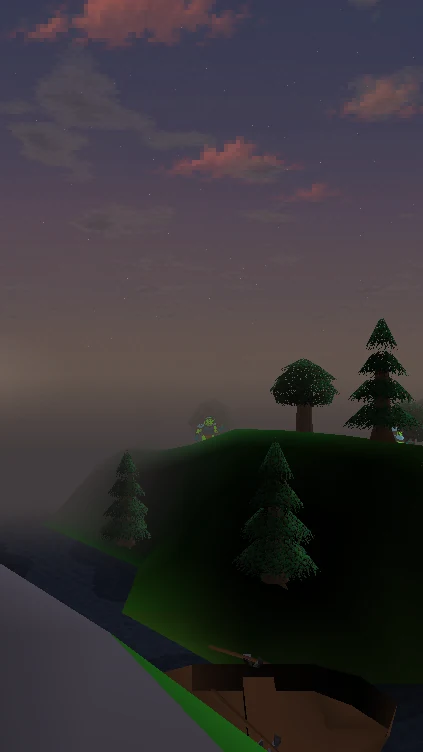
Photo mode isn't available during combat, in the Wilderness, or in duel and PvP areas. It ends if your character moves or scenery comes right up to the camera. You're still in the world while you use it, so pick a safe spot.
Settings and comfort.
These are under Settings > Visuals, right after Camera view, and are saved on your device. The keys and cursor are under Settings > Controls.
| Setting | What it does |
|---|---|
| First person view | Turns first person on or off (F4) |
| Mouse look | Always on, Hold right mouse button or Off (desktop client and desktop browsers) |
| Photo mode | Opens photo mode |
| Look speed | How fast you turn: 1 to 20, default 8 |
| Invert look | Move the mouse up to look down |
| Reduce motion | No head bob, weapon sway or pulsing. The melee camera and ladders cut instead of gliding |
| Reduce flashes | Gentler hit, teleport and low-hitpoint effects |
| Melee camera | Glide back over your shoulder in melee. On by default |
| Phones: Gyro aim, Left-handed controls | Tilt to look (off by default); swap the walk and look sides |
The first-run card offers Reduce motion, Reduce flashes, and a button that turns on Music and Ambience.
| Command | Does |
|---|---|
::fpv | First person on or off |
::fpv on, ::fpv off | Set it directly |
::fpv third (or ::fpv tp) | Third person and back, from first person |
::fpv mouselook on, ::fpv mouselook off | Mouse look on or off |
::fpv sens 1-20 | Look speed |
::fpv invert | Invert look |
::fpv motion | Reduce motion |
::fpv flashes | Reduce flashes |
::fpv duelcam | Melee camera |
::fpv steps | Footsteps |
::fpv hud | Hide the first-person HUD for this session |
::fpv gyro, ::fpv lefty | Phone gyro aim and left-handed controls |
::fpvhelp | The controls card again |
::photo | Photo mode |
If you never turn it on
Classic still looks and plays as it did. On the desktop client and in desktop browsers you'll see the view button and a new Settings > Controls category, where you can switch the pointer to a rune 2h sword. On the desktop client, Ctrl with C, I, K, M, P, L, O, B or T is now a hotkey in Classic (Ctrl+C switches to first person). On phones, there's the small FP button.
If first person ever runs into trouble on your device, the game switches you back to Classic by itself. First person stays off until you next log in.
The desktop client
The Characters home.
The desktop client now opens on your characters: a card for each, with a full-body figure in the gear they last wore. Logging out always brings you back here. The browser and the Android app keep their saved-login screens.
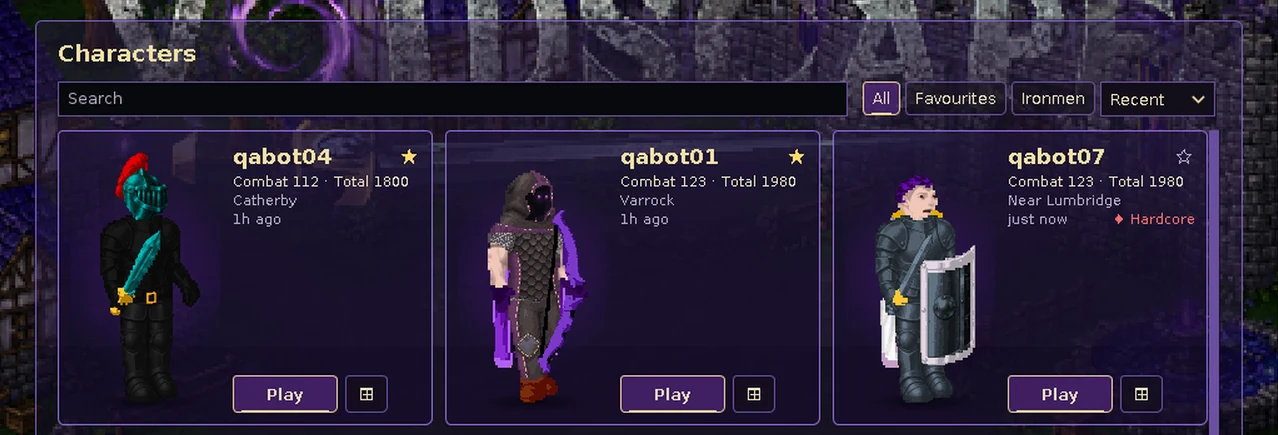
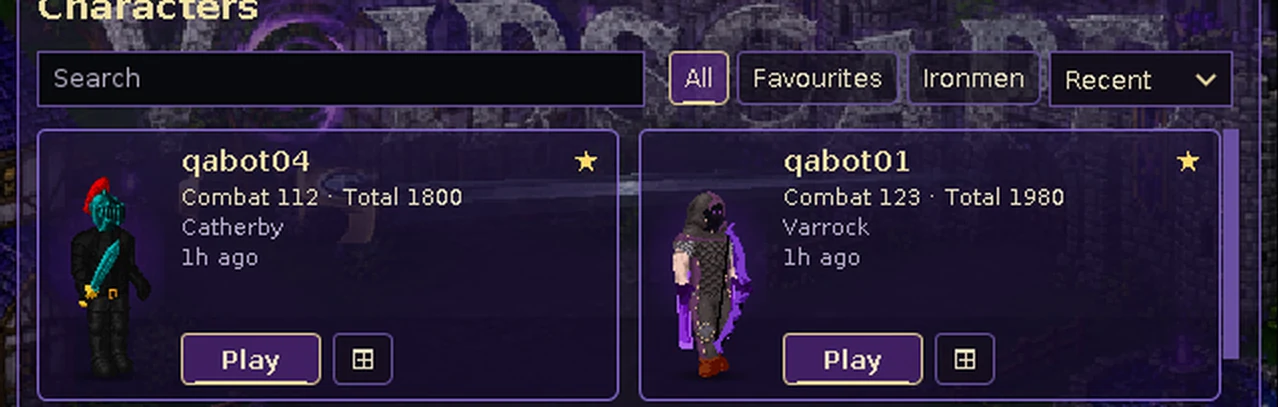
- Save up to 20 characters, up from 5. Your saved logins carry over, stored in the same files the same way.
- Each card shows the character's name, Combat and Total level, where they last were, when you last played, and their Ironman, Ultimate or Hardcore badge. On the Huge screen size the figures are twice as large.
- Up-to-date looks. The look is saved whenever gear or appearance changes, so cards stay right even if the game closes. A mounted character is shown on foot.
- Search by name or last area, filter to All, Favourites or Ironmen, and sort by Recent, Name or Level. Star a character to keep it at the top.
- Play with the Play button or by clicking the card. ⊞ opens a new window. On the keyboard, the arrow keys move between cards, Enter plays and Shift+Enter opens a new window. Play reads Jump to when that character is already open, and Update password when its saved password no longer works.
- Right-click a card to remove a saved character. Create account and Existing user sit below the cards.
- While you're playing, open the home from the + on the character bar, All characters… in the sidebar, or Settings > Display > Characters: Open. The Settings row works even with Custom UI off and one character, when neither the bar nor the sidebar shows. The home opens over a dark veil; Back to game (or Esc) closes it.
- Switching. Playing another character from a window that's in game switches that window: this character logs out and the other logs in. You can't switch right after combat.Any bank, shop, trade, duel, design screen or welcome box from the last character closes.
Multi-logging
Multi-logging is allowed: up to 10 characters at once per internet connection, shared by your household, on any mix of desktop, browser and phone. Automation is not. An 11th login on the same connection is refused. The desktop client also greys out Play and New window once 10 characters are open on your computer.
Up to 10 windows
- New window opens a character in a window of its own and signs it in for you. Opening a window doesn't copy your password anywhere new.
- One character, one window. Try to open a character twice and the client offers to bring its window forward.
- Separate settings. Each window keeps its own settings, so windows no longer overwrite each other. A new window starts from your existing settings. Each window's title shows its character's name and window number.
- Windows you're not using draw 5 frames a second to save your computer's power. The game in them runs as normal.
The character bar
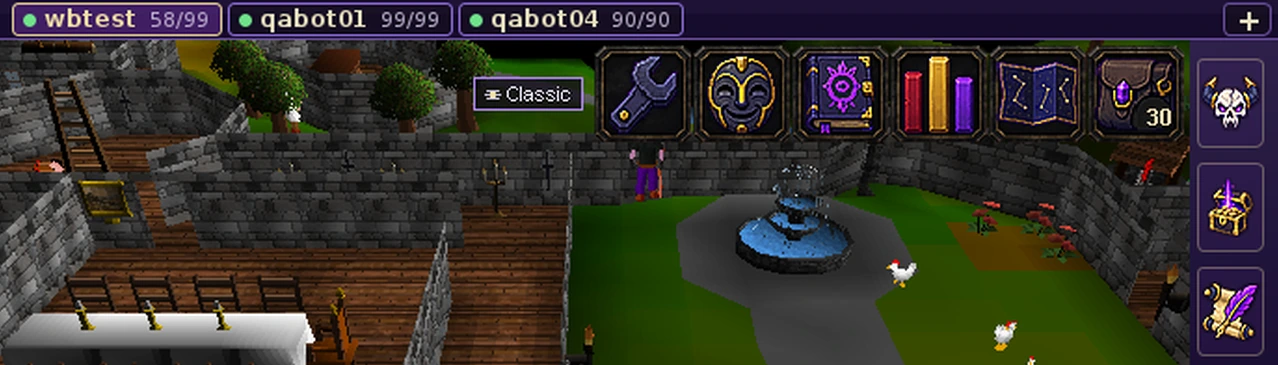
A slim bar above the game shows a tab for each open character with a status dot: green when fine, red in combat or at a third of their Hits or less, gold when idle for 5 minutes, dim when logged out. When the whole name fits, the tab also shows their Hits. Click a tab to bring that window to the front. If your computer won't allow it (macOS sometimes refuses), the window's title flashes instead: pick it from your window switcher.
By default the bar only appears once 2 or more characters are open. Change it in Settings > Display > Character bar (Ctrl+F10) (Always, 2+ characters or Never) or by right-clicking the bar. You can also hide or show it with Ctrl+F10 (Mac laptop: control+fn+F10) or the T letter key. The setting is shared by every window on your computer.
The sidebar.
A slim icon strip sits beside the game, outside the game view, with newly painted icons for the Bestiary, Loot, Quest Helper and Characters. The window grows to fit it, so the game is never squashed.
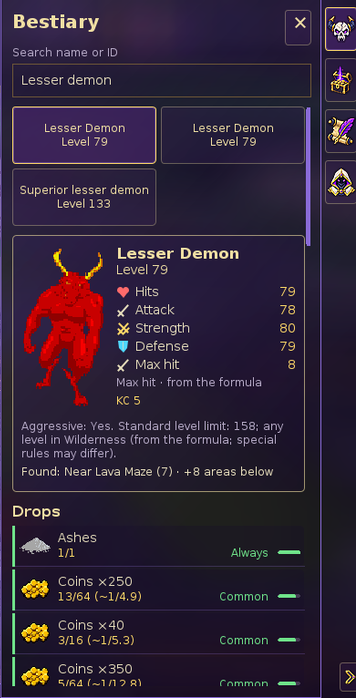
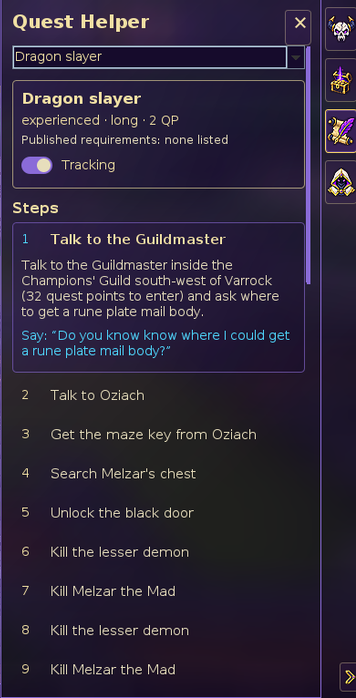
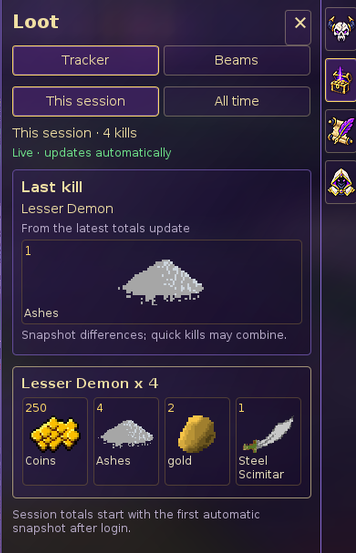
- Click an icon to open its panel; click it again, or the ×, to close it.
- Hide the sidebar with Ctrl+B (the B letter key), Ctrl+F11 (Mac laptop: control+fn+F11), or the chevron at the bottom of the strip. A hidden sidebar leaves a thin glass strip with a pull tab at the window's edge: one click brings it back.
- In first person, free the mouse (Esc, or hold Alt/Option) before you click the sidebar, or use B.
- With Custom UI switched off (the classic interface, in the Settings tab), the sidebar stays hidden. Switch Custom UI back on to see it; your Characters home is still under Settings > Display > Characters: Open. Bestiary, Loot and Quest Helper need you to be logged in; Characters works from the login screen too.
Bestiary
Search any monster by name or ID for its level, stats, your kill count, and where to find it. Max hit and aggression are worked out from the game's formula, and say so.
Every drop has the server's exact odds, such as 13/64 (~1/4.9), and a band: Always, Common (better than 1 in 32), Uncommon (better than 1 in 128), Rare (better than 1 in 512) or Very rare. Right-click a monster and choose Bestiary to open its page here.
Quest Helper
Choose a quest for its difficulty, length, quest points and requirements, with a Tracking switch. Finished steps are ticked, and the step you're on is expanded with its instructions and anything you need to say.
Loot
Your loot per monster for this session and all time, with kill counts. It updates by itself and never interrupts you. Last kill shows your latest loot; kills close together can be counted as one.
Switch Loot beams and Beam name tags on or off here. Name tags label every loot beam, everywhere, including the Wilderness. Both switch back on each time you log in.
The Characters panel lists this window, your other open windows and your saved characters, with Jump, New window, Switch here and All characters…. The Characters home, the cards, the character bar and the sidebar all use one plain font that matches your system. The in-game interface keeps its classic fonts.
Helpers show; they never play
Nothing walks, talks, picks a dialogue option or picks up loot for you. Each window is its own game, and a click goes to one window only. Nothing keeps idle windows logged in: the usual idle logout applies to every window, just as it does with one.
Clue Crackers: the Void Age
The Void Age.
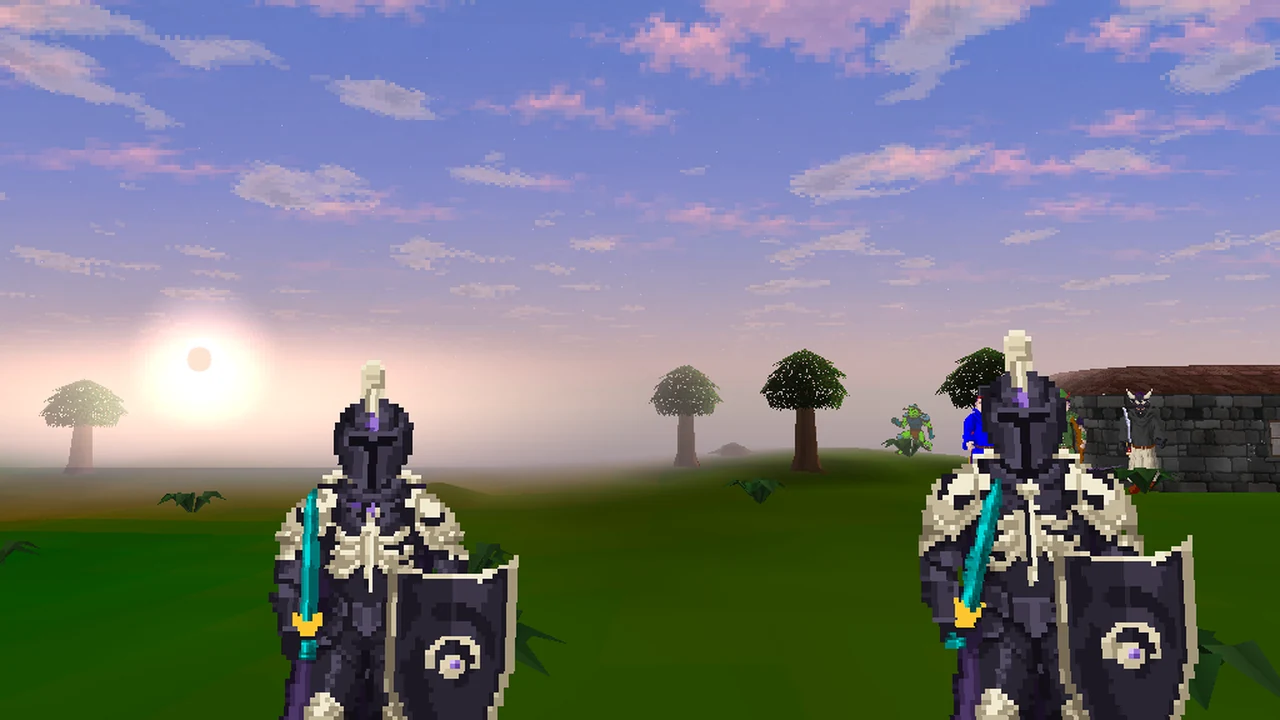
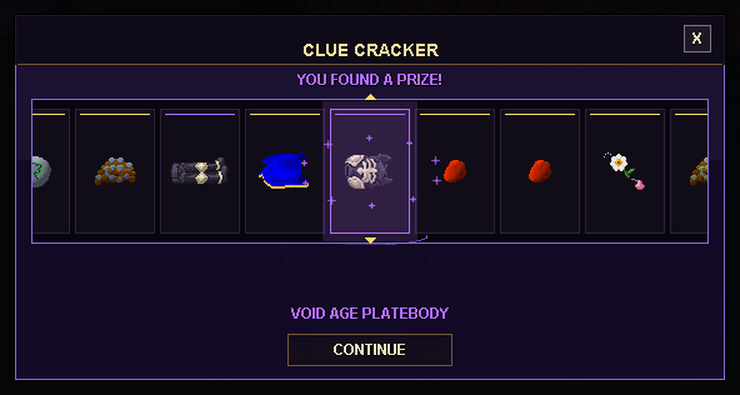
Clue Crackers drop from monsters and skilling. Solve a cracker's trail and Pull it: every pull pays supplies from Pierrot's Pantry, with a 1 in 4 chance at his Trunk. The first wave of new rewards is here, and its rarest prize is the Void Age: a five-piece set in ink and bone, with a violet gem.
- Chance of a piece
- 1 in 600 pulls
- Each piece
- About 1 in 3,000
- Trade
- Yes, never noted
- Stats
- Cosmetic

Void Age full helm

Void Age platebodyor the plate top

Void Age platelegs

Void Age kiteshield

Void Age cape
- One roll, five pieces. Every pull has a 1 in 600 chance at a Void Age piece, picked from the five at random. Female characters get the Void Age plate top instead of the platebody; it counts as the platebody everywhere, and both trade freely.
- Announced to the world. Every piece gets a line like
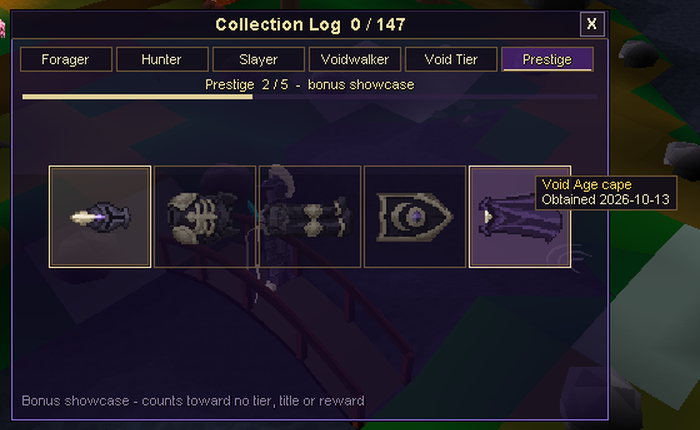
[Clue Crackers] MEGA RARE! <name>: Void Age platebody! (#612), where the number is your lifetime pull count. Finishing the set's Ledger page is announced too. - A Prestige page in the Collection Log. The five pieces sit on a new Prestige page, a bonus showcase for the rarest finds, and the Void Age is the only Clue Cracker reward in the log. The page doesn't count toward any tier, the Void Tier, a title or a reward, so a finished Voidwalker tier or a finished log stays finished. Only pieces from your own pulls appear there.

The Ranger's hat.
A green peaked hat with a red feather, and the strongest ranged item in the game.
Before it, the most Ranged Aim on any piece of armour was +6, on the Black d'hide body. Your bow or crossbow's own aim adds to the hat's, as always. The hat's bonuses count against monsters and players alike. It's listed in the Ranged skill guide at level 70, and in the combat calculator.
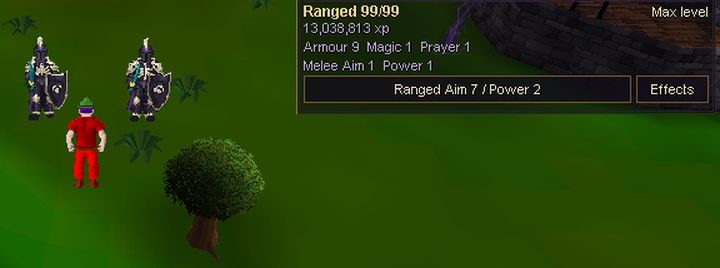
- Ranged Aim
- +7
- Ranged Power
- +2
- Armour
- +8
- Needs
- Ranged 70
- Chance per pull
- 1 in 750
Tradeable, can be noted, and free-to-play.
All 21 new rewards.
Every new item is tradeable. Every one except the Kuro hannya is free-to-play, and only the Void Age pieces can't be noted. None of them can be alchemised or sold to shops (see No alchemy, no shops).
| Item | Slot | Stats and requirement | Members | Source | Chance per pull |
|---|---|---|---|---|---|
| Pierrot's Trunk | |||||
 Kuro hannya | Head | +4 Melee Aim, +4 Melee Power, +12 armour. Needs Defence 40 | Yes | Trunk | 1 in 200 |
 Shade gloves | Hands | None | No | Trunk | 1 in 200 |
 Ringmaster's cape | Cape | +2 armour | No | Trunk | 1 in 200 |
 Ringmaster's boots | Feet | +1 armour | No | Trunk | 1 in 267 |
 Wizard's hat (g) | Head | +4 Magic | No | Trunk | 1 in 267 |
 Wizard's robe (g) | Body | +6 Magic | No | Trunk | 1 in 267 |
 Wizard's skirt (g) | Legs | None | No | Trunk | 1 in 267 |
 Seltzer flower | Toy | Not worn | No | Trunk | 1 in 267 |
 Shadow skullcap | Head | None | No | Trunk, after the white costume | About 1 in 62 |
 Shadow ruff | Neck | None | No | Trunk, after the white costume | About 1 in 62 |
 Shadow blouse | Body | None | No | Trunk, after the white costume | About 1 in 62 |
 Shadow pantaloons | Legs | None | No | Trunk, after the white costume | About 1 in 62 |
| Rolls of their own, every pull | |||||
 Ranger's hat | Head | +7 Ranged Aim, +2 Ranged Power, +8 armour. Needs Ranged 70 | No | Own roll | 1 in 750 |
 Ringmaster's top hat | Head | None | No | Own roll | 1 in 600 |
 Highwire slippers | Feet | None | No | Own roll | 1 in 1,000 |
| Void Age full helm | Head (full helm) | None | No | Void Age roll | About 1 in 3,000 |
| Void Age platebody | Body | None | No | Void Age roll | About 1 in 3,000 |
 Void Age plate top | Body (female characters) | None | No | In place of the platebody | About 1 in 3,000 |
| Void Age platelegs | Legs | None | No | Void Age roll | About 1 in 3,000 |
| Void Age kiteshield | Shield | None | No | Void Age roll | About 1 in 3,000 |
| Void Age cape | Cape | None | No | Void Age roll | About 1 in 3,000 |
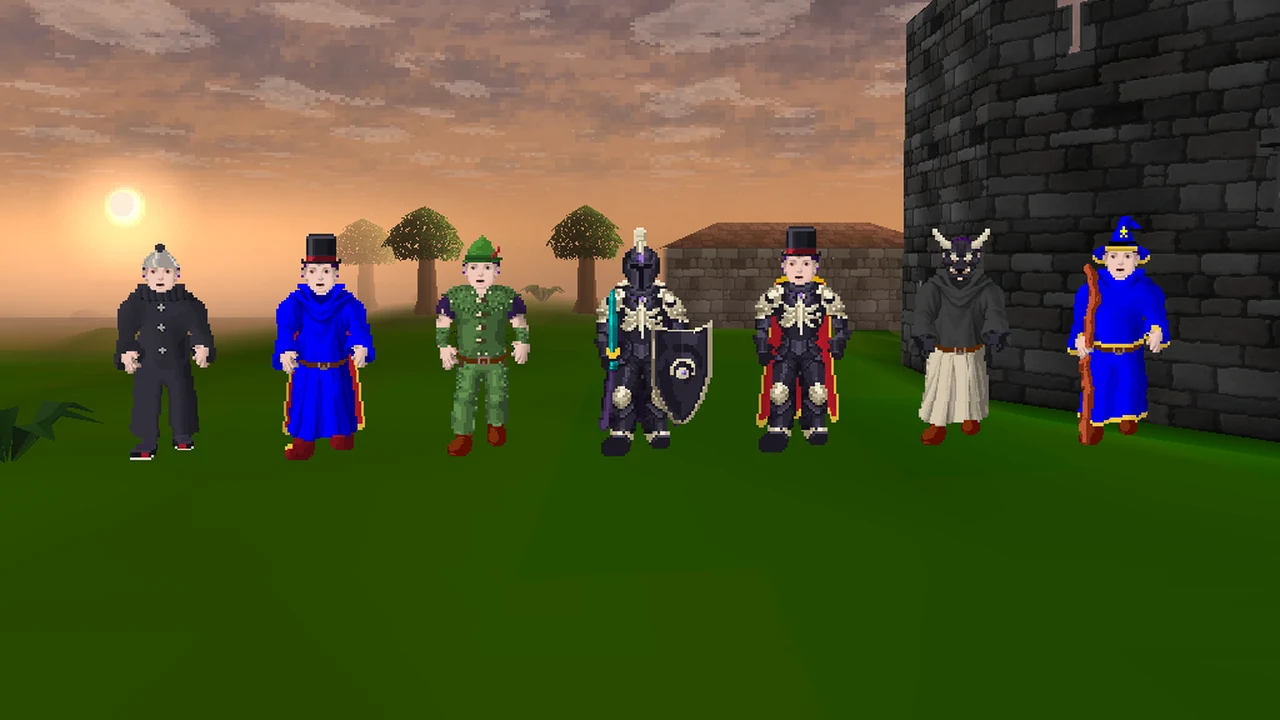
- Recolours keep their stats. The Kuro hannya is the Hannya mask lacquered black, with exactly the Hannya mask's stats and requirements; unlike the Hannya mask, and like every new item here, it can't be alchemised or sold to shops. The Wizard's (g) pieces match the blue wizard's hat, robe and skirt, the Ringmaster's cape and boots match the ordinary cape and boots, and the Shade gloves match the Mime's gloves. The top hat, slippers, Shadow pieces and the Void Age are cosmetic.
- The Shadow Pierrot. Once your own pulls have found all four white Pierrot's costume pieces, any costume prize pays that piece's Shadow version instead, bonus Trunk rolls included. From then on the white pieces stop dropping for you. Pieces you bought or were given don't count.
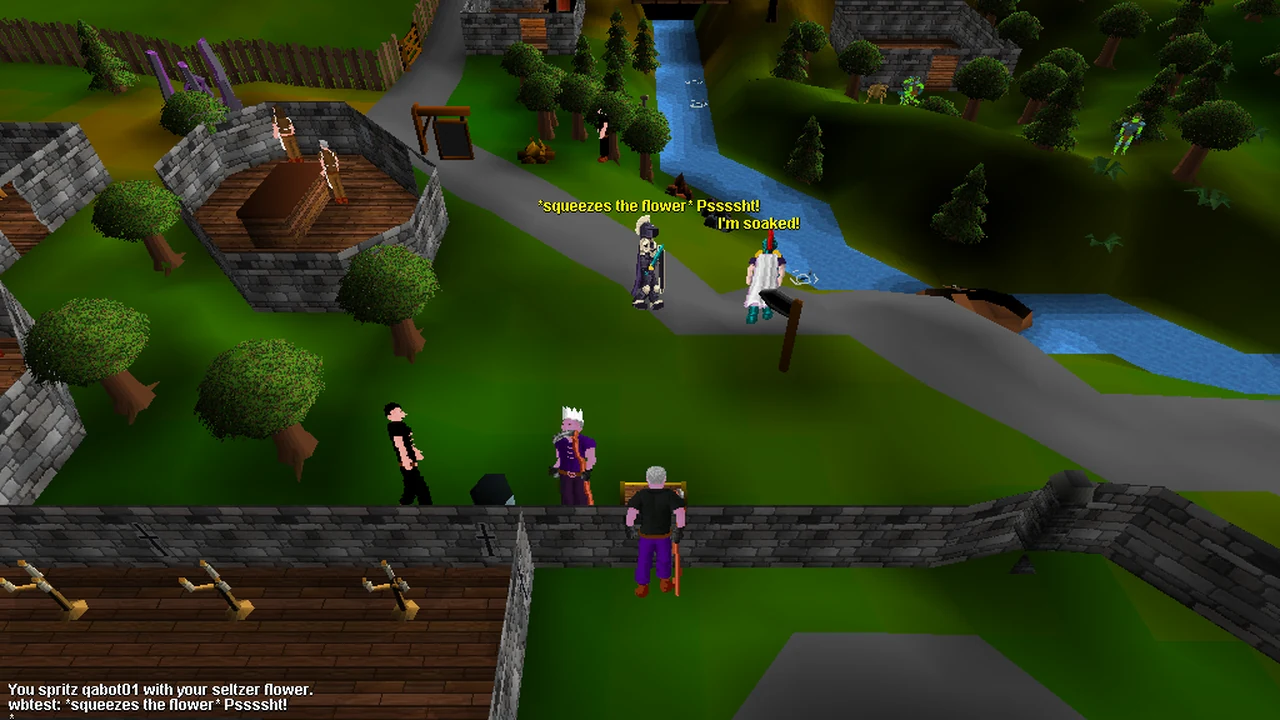
- The Seltzer flower. Use it on another player: "*squeezes the flower* Pssssht!", and they're told "You are spritzed!" and reply with a soaked line, such as "I'm soaked!" or "Hey! My cape!". It refills in 10 seconds and is never used up.
The odds
- The Trunk still pays on 1 pull in 4. To make room, Snap-pops (x10) go from 1 in 20 to 1 in 36 a pull, and the Mime's kit, Jester's bells and Fortune ball from 1 in 44 to 1 in 53 each. The other Trunk prizes are unchanged.
- Independent rolls happen on every pull, and more than one can land at once: the Topknot wig (1 in 200) and the Eclipse Drake (1 in 400), both unchanged, plus the Ranger's hat (1 in 750), the Ringmaster's top hat (1 in 600), the Highwire slippers (1 in 1,000) and a Void Age piece (1 in 600). Together that's about 1 independent rare every 76 pulls; before this update it was about 1 in 134. At a full streak it's about 1 in 51.
- Streaks still add 10% to every chance per level, up to 5. A Grey cracker still halves the Trunk only.
- An Encore triples every independent rare for one pull, after the streak bonus: see the Jack-in-the-Box.
- The pull reel now headlines the new rares. The Ranger's hat, the Ringmaster's top hat and the Highwire slippers headline your own reel but aren't announced to the world.
- No more spoilers. Your "Inside:" chat lines, the Collection Log entry and any world announcement now wait until the reel stops, so the chat behind the reel no longer gives the prize away. Your items still land the moment you pull, and logging out mid-reel loses nothing: the prize is kept and the announcement still goes out.
- Prizes always land somewhere: your pack, then your bank, then the ground at your feet. If that happens, the game tells you: "Your pack was full, so some of it went to your bank or your feet."
No alchemy, no shops
None of the 21 new items can be alchemised or sold to shops. Casting Low or High Alchemy on one, noted or not, leaves the item and your runes untouched and names the item, for example "The Void Age full helm resists your magic. It cannot be alchemised." Every shop, general store or specialist, says "This object can't be sold in shops".
Older items are unchanged. The Hannya mask still alchemises and sells as before.
Pierrot's Ledger and milestones.
The Ledger now has four pages. A page only counts your own pulls, so buying or selling an item never ticks or unticks it. Missing items show as dark silhouettes. Once you've beaten a Jack-in-the-Box, the Ledger also shows a gold "Jacks beaten" count.
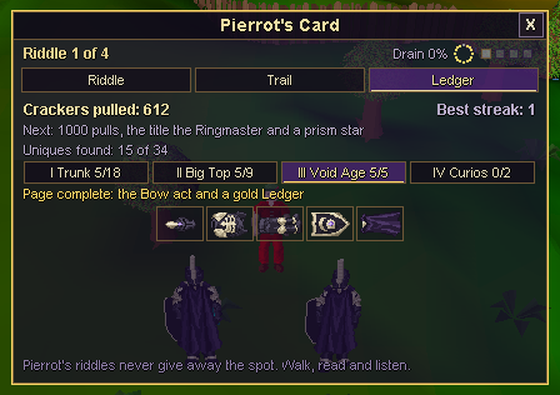
| Page | Items | Completing it |
|---|---|---|
| I: Trunk | The 12 original Trunk prizes, the Kuro hannya, Shade gloves, the three Wizard's (g) pieces and the Seltzer flower (18) | Teaches the Tightrope act |
| II: Big Top | The Ringmaster's cape, boots and top hat, the Ranger's hat, the Highwire slippers and the four Shadow pieces (9) | Teaches the Lion in a cage act |
| III: Void Age | The five Void Age pieces | Teaches the Bow act, turns your Ledger's frame gold, and is announced: [Clue Crackers] <name> has completed the Void Age! |
| IV: Curios | The Topknot wig and the Eclipse Drake | Nothing extra |
The new acts appear in the Perform menu of the Clue Cracker and the Mime's kit once their page is complete. Over your head, Tightrope shows *wobbles along a tightrope high above the ring*, Lion in a cage *tames a lion that isn't there, chair first*, and Bow *sweeps into a deep bow. The crowd goes wild*.
Milestones
- Milestones
- 1, 10, 50, 100, 250, 500 and 1,000 pulls
- 500 pulls
- A violet Jester's star
- 1,000 pulls
- The title the Ringmaster
At 1,000 pulls the title is announced to the world, and your Jester's star turns to prism glass: a pale glass blue.
336 trail steps.
Clue Cracker trails now draw on 336 steps, five times as many as before: easy, medium and hard, in new places, with dress codes and riddles.
- Steps
- 336, five times as many
- Easy
- 145
- Medium
- 126
- Hard
- 65
- Easy, medium and hard. Lower-level characters mostly draw easy steps, and higher-level characters see more hard ones.
- New places across Misthalin, Asgarnia, Kandarin and the Wilderness, and in Voidscape's own corners: the Shinigami lands, the Halcyon and Kingfisher isles and the guild gates. No step sits behind a quest, a guild level or a key.
- Dress-code steps. Wear the named items, one to three of them, and perform a mime act at the right spot.
- Riddle steps open with a rhyming couplet.
- The hints work as before: the riddle first, then a nudge and Pierrot's hot/cold Hum after 10 minutes, and the plain answer after 30.
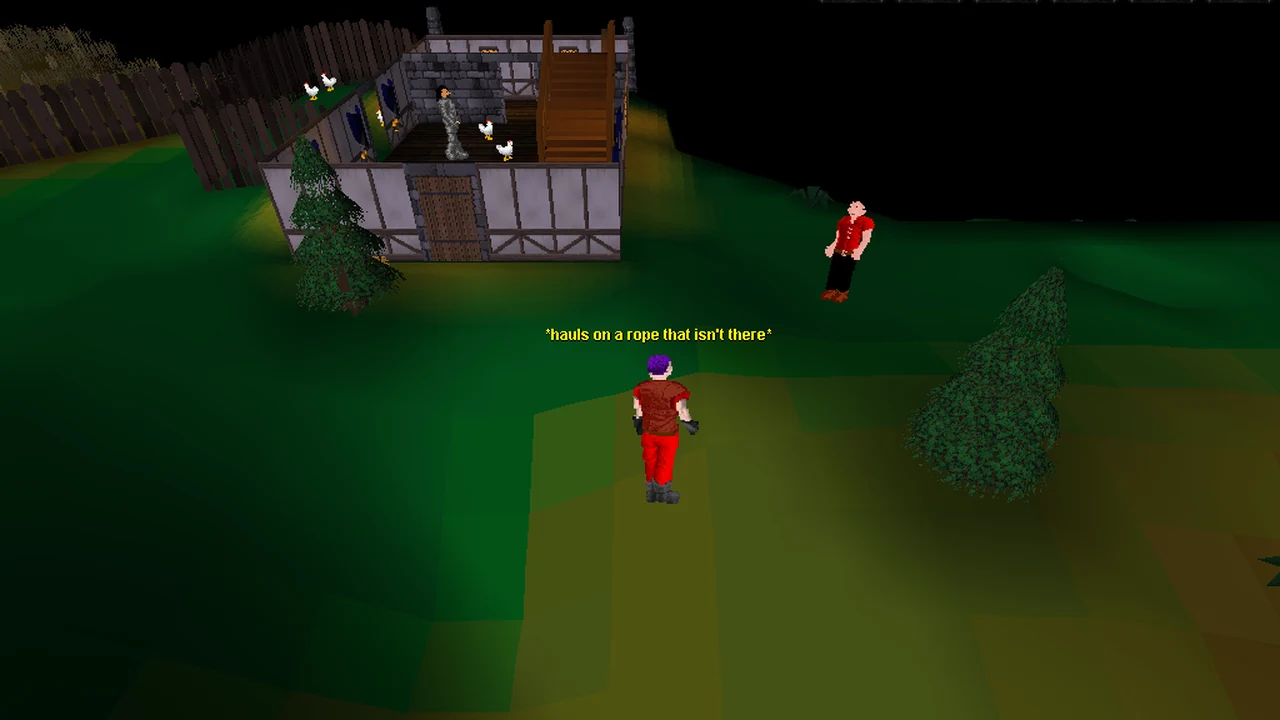
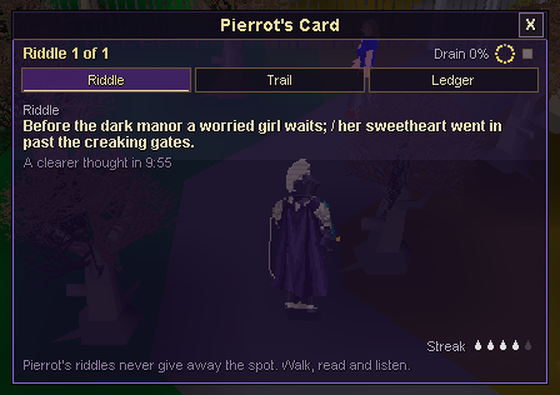
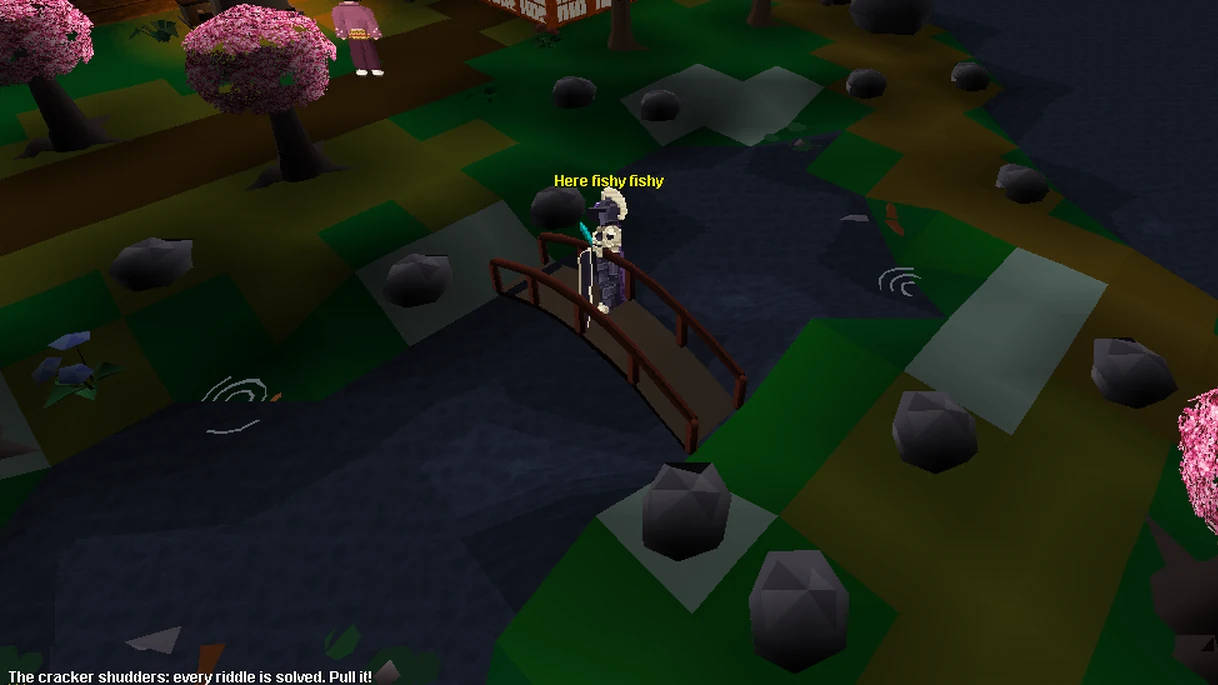
The extra steps don't change how long a trail is or its reward tables. All 336 were walked and solved on a test world.
The Jack-in-the-Box.
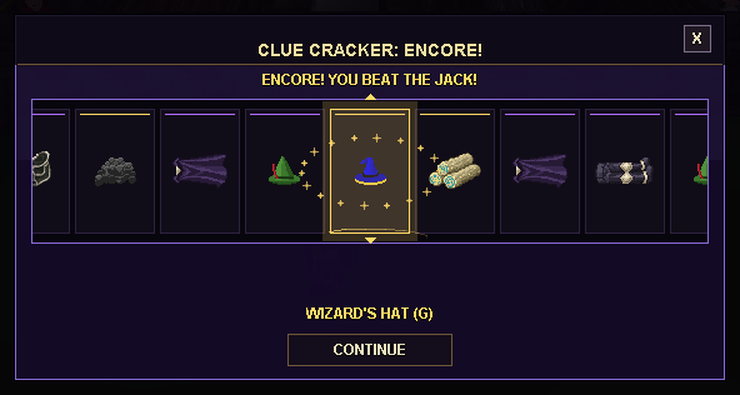
Sometimes a finished cracker won't pop. About 1 pull in 25, a Jack-in-the-Box springs out instead. Beat it within two minutes for an Encore.
- Chance per pull
- About 1 in 25
- Time to beat it
- 2 minutes
- Encore
- +2 Trunk rolls, rares x3
- Lose or run
- Your normal prize
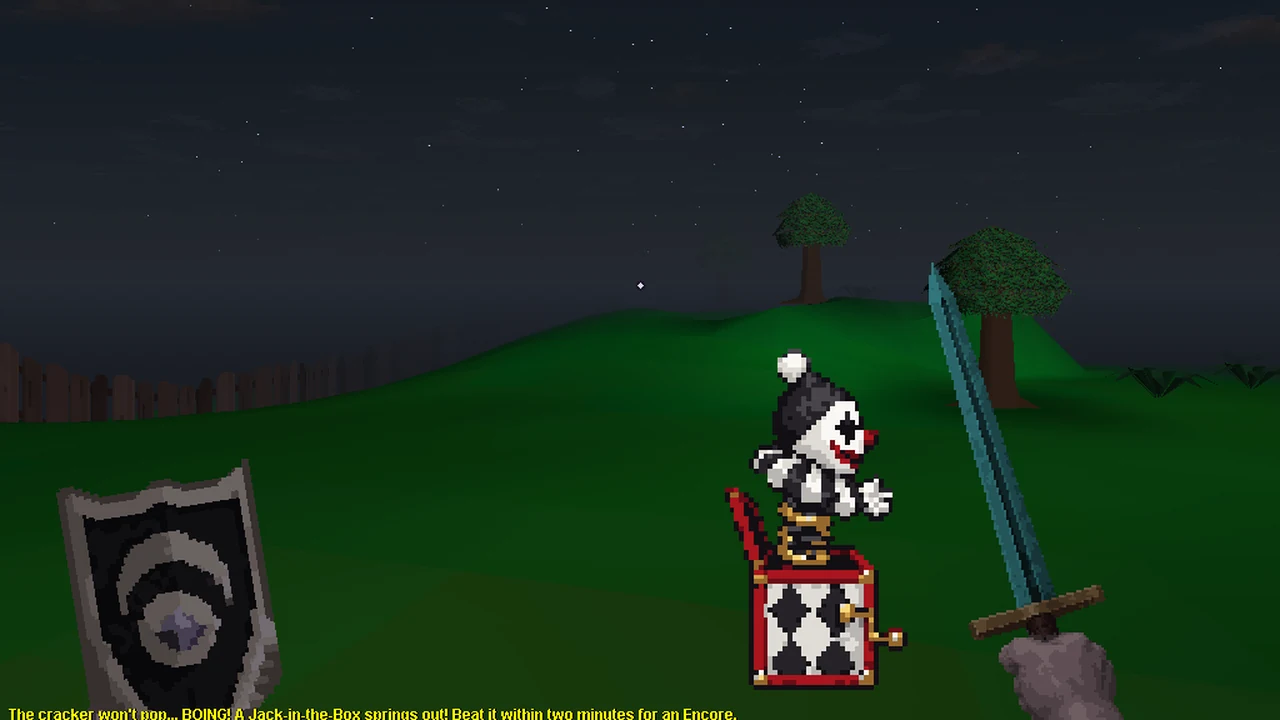
- It replaces the old jack-in-the-box. Until now, 1 pull in 20 sprang one of Pierrot's Shades, and killing it within 2 minutes added 2 Pantry rolls and 1 Trunk roll. That's gone. The Shade that rises from a Wilderness dig is unchanged.
- More likely on hard trails. Each hard step on the trail adds a little to the chance, up to 9 pulls in 100.
- It fights only you, and never attacks first: "This Jack-in-the-Box only plays with whoever pulled its cracker."
- Scaled to your combat level: a level 12 Jack if you're under combat 25, level 31 from 25, level 55 from 50 and level 83 from 80.
- The Encore. 2 extra rolls on Pierrot's Trunk, and every independent rare three times as likely on that pull: the Eclipse Drake, a Void Age piece, the Ranger's hat, the Ringmaster's top hat, the Highwire slippers and the Topknot wig. Without a streak, the chance of at least one of them goes from about 1 in 76 to about 1 in 26. An Encore always pays at least what the normal pull would have, and Pierrot's Ledger counts your Jacks beaten.
- Lose, run or run out of time, and it folds back into its box and you get your normal prize. That includes moving more than 16 tiles away, teleporting and logging out; after a logout the prize waits for your next login.
- Dying to it is safe. You get up at full Hits where you stood, with no items lost, no skull, and your streak kept.
- It never springs in the Wilderness, in instances or events, or on the tutorial islands. There the cracker simply pops.
Combat and items
The 2h Heavy crit.
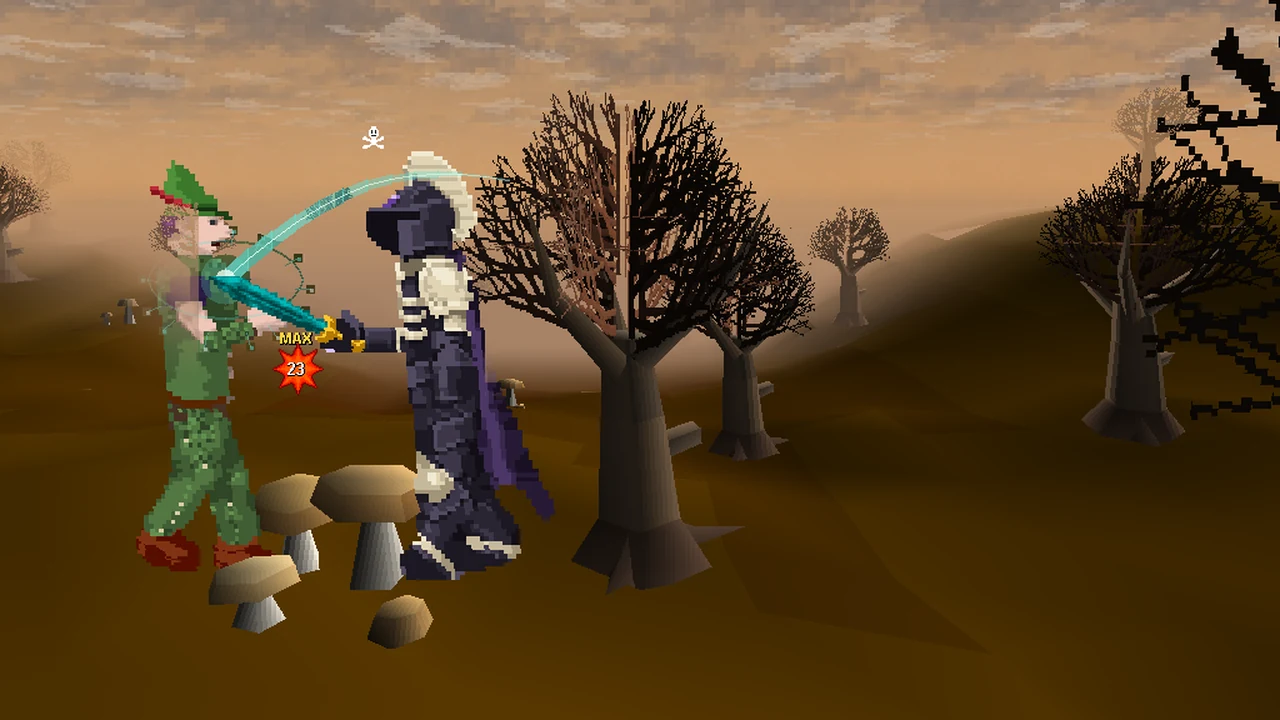
Every melee swing with a 2-handed sword, from Bronze to Rune with Black included, has a 5% chance to be a Heavy crit. It can't miss, and it hits for your full max hit.
- Rolled before accuracy. Every other swing works exactly as before.
- Against players and monsters: in the Wilderness, in stake duels, in hosted events that use normal melee combat such as Flats, against monsters, and for your own swings in Stakers' Guild Master bouts (the Masters themselves never roll it).
- Only when wielded, and only for players. Monsters never roll it.
- Chance per swing
- 5%
- In testing (rune 2h, 240 swings)
- 12 MAX hits
- Damage against monsters
- About +5% to +14%
The test swings were against a 99-Defence target in full rune and a kiteshield. The count covers Heavy crits and ordinary max hits together, because both show the MAX splat. The damage figure is our calculation, and is higher against high-Defence monsters.
MAX hit splats
When a player's melee or ranged hit reaches their max hit, everyone who sees it now gets a bigger red-orange splat with a gold MAX tag above the number. That includes Heavy crits and ordinary max hits from any melee weapon, bow, crossbow or thrown weapon, in Classic, first and third person. Monsters' max hits keep the usual splat.
The Eclipse Drake goes further.
A full bar of energy now carries the Eclipse Drake 3,300 tiles, up from 800: about 17 minutes of nonstop riding.
| Mount | Tiles per full bar |
|---|---|
| Horse | 300 |
| Unicorn | 550 |
| Black unicorn | 550 |
| Void steed | 800 |
| Eclipse Drake | 3,300 (was 800) |
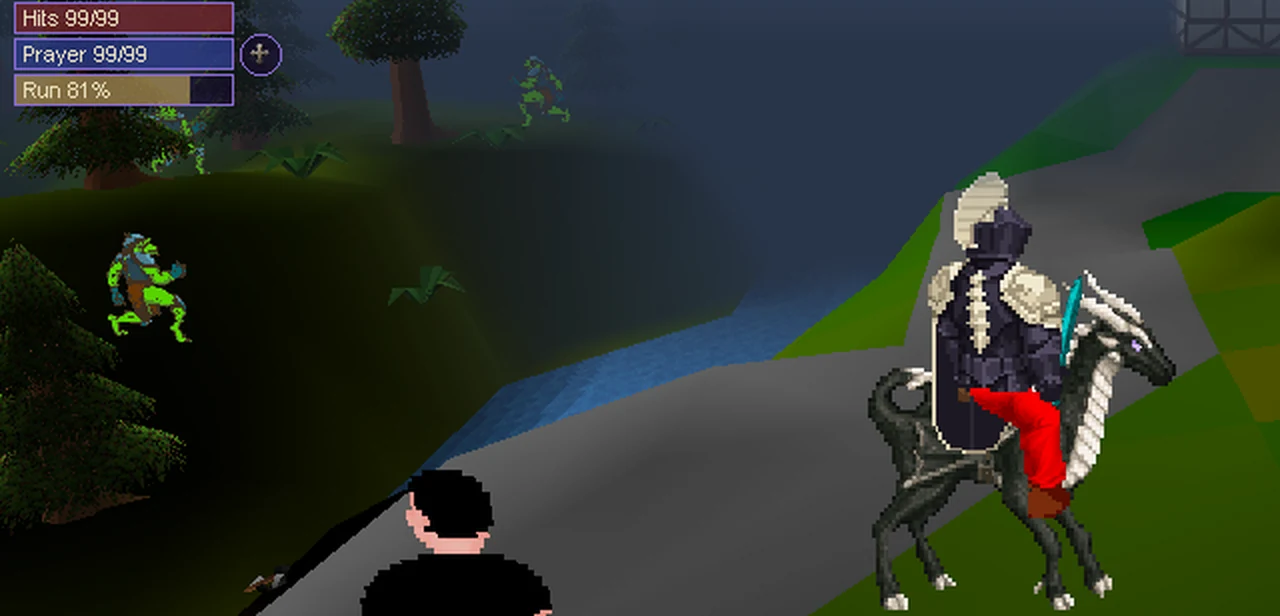
Everything else about riding is unchanged. Energy refills from empty to full in 3 minutes while you're on foot, and you need 20% to mount. The Drake still needs Agility 90. Fighting dismounts you, and your steed still refuses to enter the Wilderness.
The Void Ranger hood.
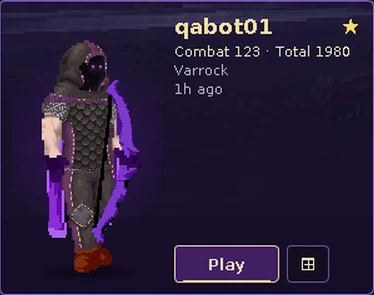
The Void Ranger coif is now the Void Ranger hood: "A deep hood cut for distance; nothing shows inside it."
It's a deep pointed hood with a short shoulder mantle, in the set's charcoal leather with violet hems. No face, hair or beard shows inside it, only two violet eye glints, on male and female characters alike. It has a new inventory icon, and Xul'Kari wears it too.
Its stats are unchanged: Ranged 75 and Defence 75 to wear, +12 armour, +2 Ranged Aim and +2 prayer, and it's tradeable. Coifs you already own become hoods automatically.
Bug fixes and improvements.
Xul'Kari and the Void quests
- After you defeat Xul'Kari, step through the Torn page in the chamber to leave straight away. Your uncollected spoils and the arrows you fired wait on the ground beside the Ledger of Deeds, visible only to you for a minute. Before the kill, the page asks whether to leave and abandon the fight.
- During The Fourth Depth, the Torn page now explains that it offers no passage from that chamber, instead of offering an Enter that did nothing.
- God spell effects stay inside your own Xul'Kari fight. Another player casting at the same spot in their own fight no longer shows up in yours.
- During a fracture warning, the Void Wyrm and its Void Spiders now hold their ground, giving you a real chance to step off the marked tile. Standing on it still costs 8 to 12 Hits.
Combat
- When your cannon opens fire on a dragon and your own line to it is blocked by a wall or other cover, the dragon's opening breath no longer reaches you.
- In Flats, a melee fight can no longer be left early through the open-world retreat timer. The usual three-round rule applies.
Skill guides
- Skill guides now list Voidscape's own equipment, recipes, activities and mastery perks at the levels you need them: 362 rows across 19 guides. Voidscape additions are marked with a star.
- Long lists wrap and turn pages, so the end of every list can be reached. Chat no longer draws over a guide's text or its page buttons.
- The Slayer window has a new Guide tab, and the Construction guide explains its level-99 cape.
Everything else
- A Dragon battle axe dropped by a monster is now announced in Quest chat as a rare drop, and a Dragon Woodcutting Axe as a legendary one. Drop rates are unchanged.
- Walking between Draynor, Lumbridge and Port Sarim (for example with world-map walking) now uses the nearby southern fence opening instead of a long detour north.
- While the newcomer journal is open, a click outside it over the Hits and Prayer display now closes the journal.
About these patch notes
First and third person, the new controls, mounts in first person, the desktop client upgrade, the Clue Cracker first wave, the new trail steps, the Jack-in-the-Box and the other changes described here are now live.
Screenshots come from local test worlds. The characters on the Characters home are sample characters, not real players. Measured figures come from test runs.